
Like I previously pointed out SEO and web accessibility should come hand in hand. So here is the collection of web accessibility tools (similar to SEO Tools) that can be also effectively used for SEO purposes:
General page viewers and accessibility checkers:
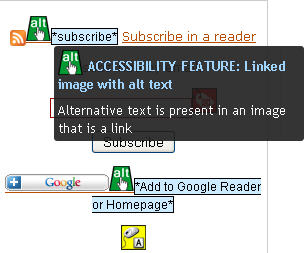
1. Wave offers a graphical representation of found accessibility issues right on the web page:
2. Lynx Viewer shows a text-only version of the page for you to see if it contains sufficient information no matter what browser-enhanced functionality (e.g. CSS or JavaScript) is disabled;
3. Opera browser: see the guide on checking the page accessibility in Opera browser;
4. Functional Accessibility Evaluator: provides both summarized and extended accessibility report on:
- Navigation & Orientation;
- Text Equivalents;
- Scripting;
- Styling;
- HTML Standards
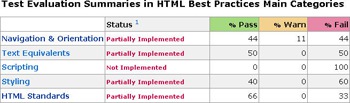
Table accessibility evaluators:
Table Linearizer to make sure all your page tables can be read in a linearized version.
Image accessibility evaluators:
1. Image Analyser: the width, height, alt, and longdesc attributes are examined for appropriate values;
2. Alt Text Checker shows the summary of image alt text used.
Color accessibility tools:
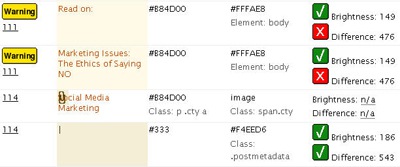
1. Color Contrast: evaluates color accessibility by analyzing the internal and external CSS of a web page to test the color contrast and color brightness between the text and background colors (based on W3C accessibility standards):
2. Accessibility Color Wheel allows to pick text and background colors and instantly evaluate the color combination accessibility.
3. ColorFilter – color blind web filter – shows how each page is seen by a color blind person.
Page link evaluator:
Link Context Checker shows information on any page anchor text usage.
FireFox accessibility extensions:
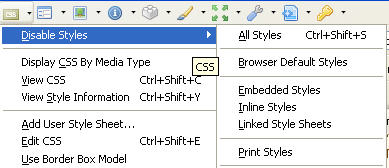
1. Web Developer FireFox extension allows to disable Javascript, CSS, linearize page, display form details, display alt attribute, etc:
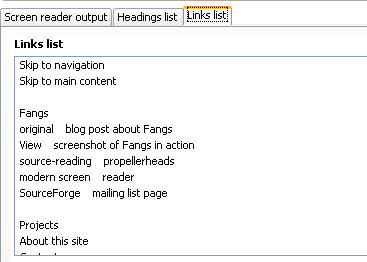
2. Fangs – screen reader emulator – gives you an idea of how your page will be rendered by a screen reader and also provides a page outline based on
- H1-H6 elements;
- page link anchor text.
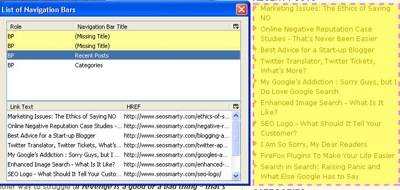
3. Firefox Accessibility Extension adds a handy toolbar that allows for both SEO and Accessibility evaluation options:
- An overview of page headings, forms, links, titles, navigation, frames, data tables, etc.
- Text equivalents for images, objects and abbreviations;
- Scripting information;
- Styles information;
- Page checking with keyword enhancements;
- Various validating options.
Disclaimer: Please don’t solely rely on information any tool reviewed here provides. I recommend running multiple tests before arriving at any conclusions (also please share your test results here if you please). I recommend to only use SEO tools as additional source of information. No tool should be used as your sole tool for Search Engine Optimization.
