
A couple of weeks ago I had the deal with Mike Clough, who manages The Blog Zone group at LinkedIn. As the result of the deal, I became manager of his subgroup Guest Blogger and announced this subgroup as MyBlogGuest official home at LinkedIn.
I am pretty much new to managing an active LinkedIn group like this, so I decided to do some research. In this post I am sharing my findings (that seem to be working for me!):
1. Start a Discussion
If that’s a new group, you will need to create a couple of relevant threads to encourage discussion (in my case, that was about joining the existent ones).
The best way to spur discussion is to let (new) members promote themselves: invite them to share their blogs or follow each other on Twitter – this usually is very encouraging for new members to start participating.
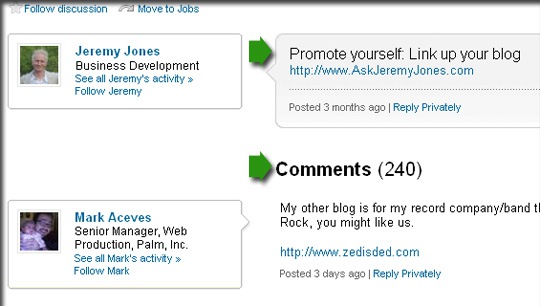
2. Invite Your Contacts
LinkedIn is much less cluttered than Facebook, which is obviously a good thing. But this also creates some inconveniences one of them being that you are only allowed to invite 50 of your friends a day to your LinkedIn group.
Well, on the other hand, you can thus make it with more thought coming back daily (or weekly) to invite new friends and look through those who have recently joint.
You can “Share” the group right from the home page or (if you are a manager of the group) you can go to “Manage” and “Send invitations” to your friends from there:

3. Encourage Active Users
When a user becomes prominent as a poster, encourage him and help him (These are the catalyst to a thriving group):
- Answer his questions and share your advice;
- Try a personal touch: send a direct message asking about his feedback on the group, etc.
Rewarding positive behavior is as important as banning negative uses.
4. Give Your Members More Things to Discuss
LinkedIn allows to submit news feeds to automatically post your blog updates to the group. You can manage your feeds from “News” tab:

5. Promote Your Group Outside LinkedIn
LinkedIn doesn’t have group widgets like Facebook does for fan pages, but this doesn’t mean you cannot invite members from outside LinkedIn.
Announce your group on your blog, create and add a pretty button to add to your blog sidebar, Tweet about your group – do whatever you can to spread the word!
Additional reading:
- Best Practices for Linkedin Group Management
- Top ten tips on how to manage a Linkedin group
- 8 Tips for Managing a LinkedIn Group
