

No matter how easy your website is to navigate or how clean the user experience (UX) is, an on-site search function is vital.
Your site visitors want a direct way to find exactly what they want.
On-site search is more than a search box; it’s an essential aspect of how visitors engage with your website.
Google has set the bar pretty high, and nowadays, users expect search to perform flawlessly. It means your on-site search must return relevant results, or visitors may leave, and you lose out on potential business.
So, how can you make sure your on-site search helps convert site visitors into customers?
We’ve gathered a list of on-site search best practices, how the data can inform your SEO efforts and a solution for the SEO risks involved.
On-Site Search Best Practices
Is it enough to plop a search widget on your site?
Uh, not quite.
If the search feature doesn’t meet customers’ expectations, it becomes more of a hindrance than a help.
It means you just put a barrier between users and the product they want to buy from you.
Below are seven best practices to follow when adding an on-site search to your website.
1. Search Box Placement
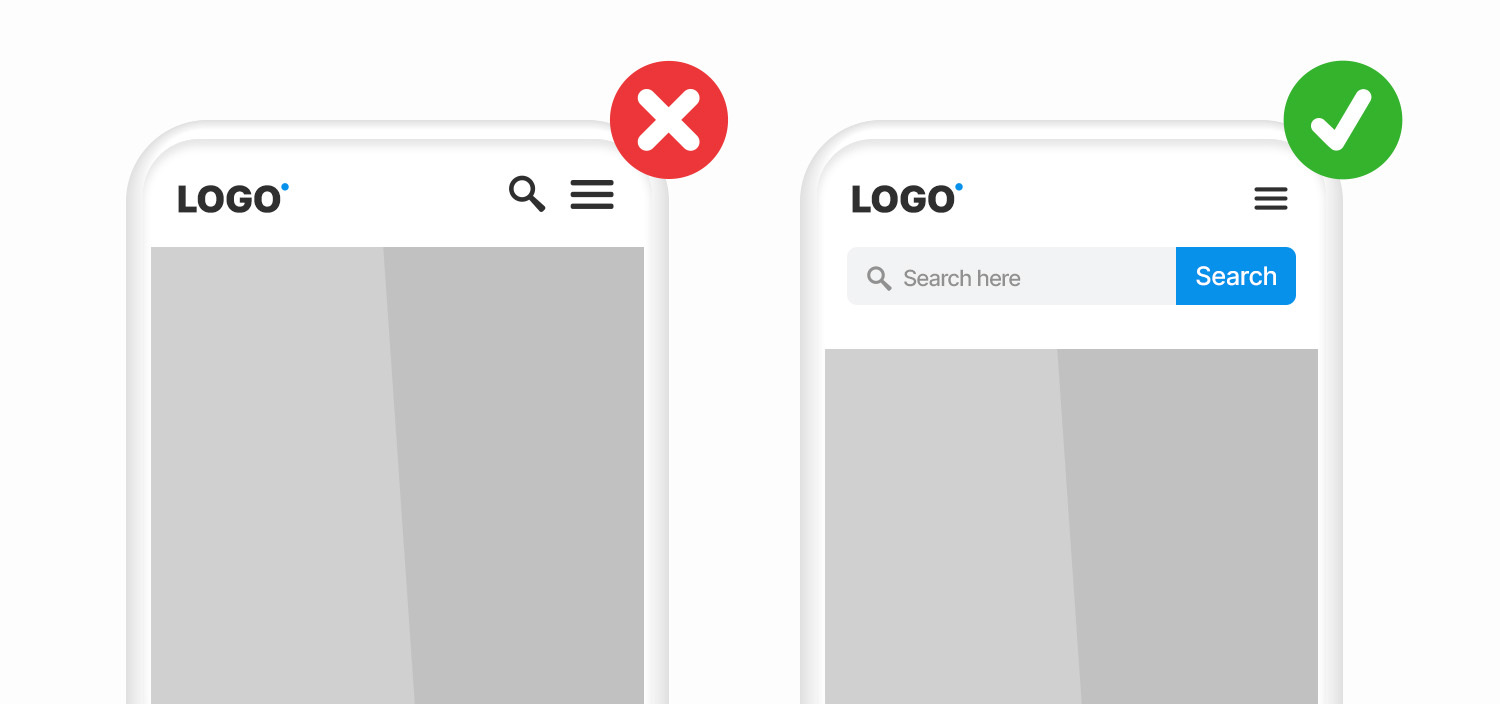
Your search bar should be easy to find.
No one will scroll to the footer of your website looking for it.
When someone views your website on a desktop, it should be in a prominent spot, preferably near the top right corner.
A mobile device should have its own line at the top of the screen.
Be careful not to place the search box too close to other boxes, like a newsletter sign-up, as that may confuse users.
2. Search Box Design
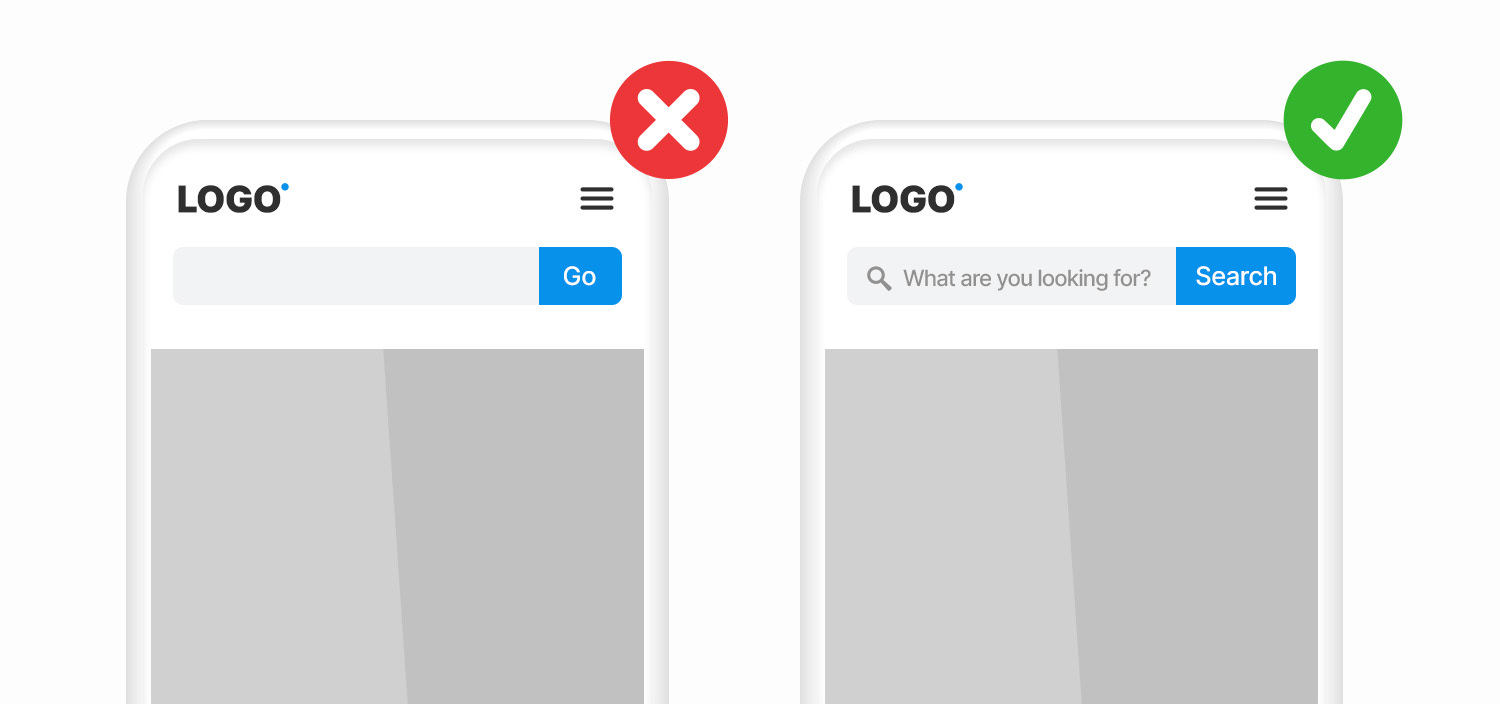
Similarly, it should be immediately apparent what the search box does.
There are three design elements: a search box, a search button, and a magnifying glass.
The search box is where users type queries.
If the input field is too short, people can’t see all of their text, making it hard to edit their query easily.
A good rule of thumb is to have a 27-character text input, which accommodates the majority of user search queries.
Adding a search button to your design helps users understand there’s an additional step to trigger the search action.
The magnifying glass is essential to include because it is a widely recognized symbol for “search.”
The icon should be large enough to provide a clear signal to the consumer, even on a mobile device.
3. Add Placeholder Text
It is a good idea to include placeholder text in the search box to give users an example of what they can search.

4. Auto-Complete
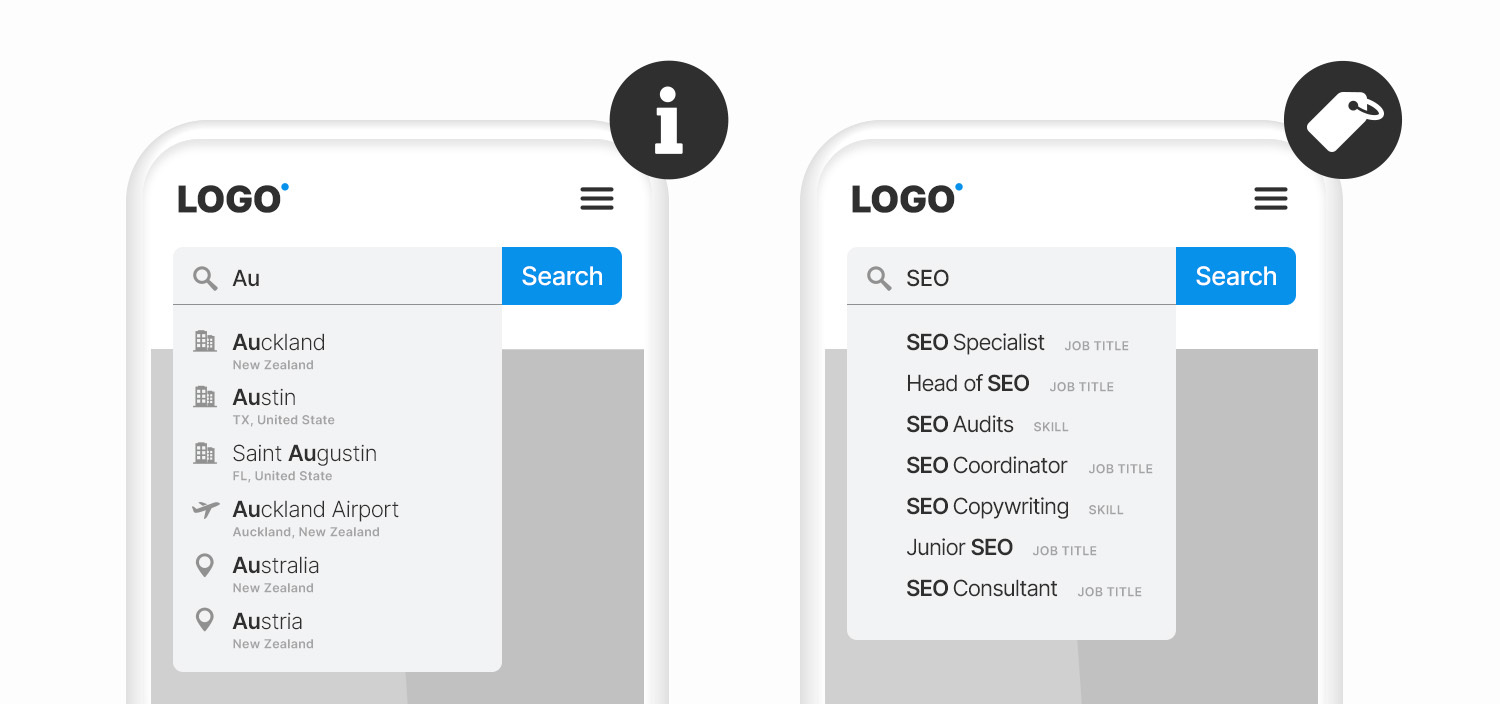
Auto-complete predicts what the on-site search user is searching based on popular or suggested search queries.
The search box will recommend an item or category the user may be interested in by anticipating the search query, saving them the time and effort of typing.
This feature is not about making the search process faster; it is to help users ask better search queries.
Be careful not to overwhelm users with excessive suggestions; up to 10 results is best practice.
5. Custom Ranking Option
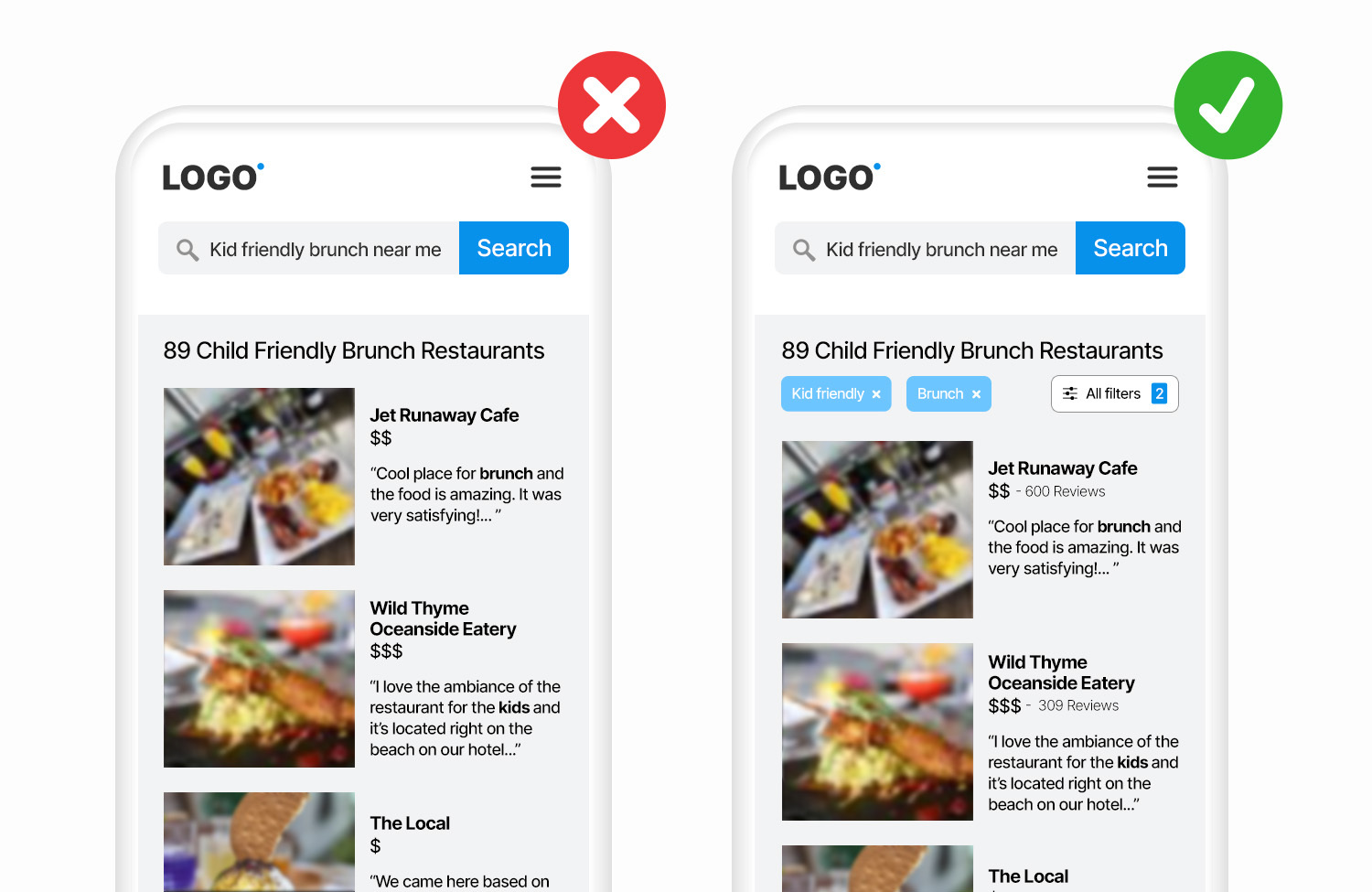
Now, let’s talk about what happens after the search.
Your user finds the search box easily, enters text, hits the search button, and lands on the search results page.
As the website owner, you want to control (or prioritize) which pages rank at the top of your on-site search results.
The ability to manually rank pages provides the control necessary for promoting seasonal products or specials.
6. No Results Page
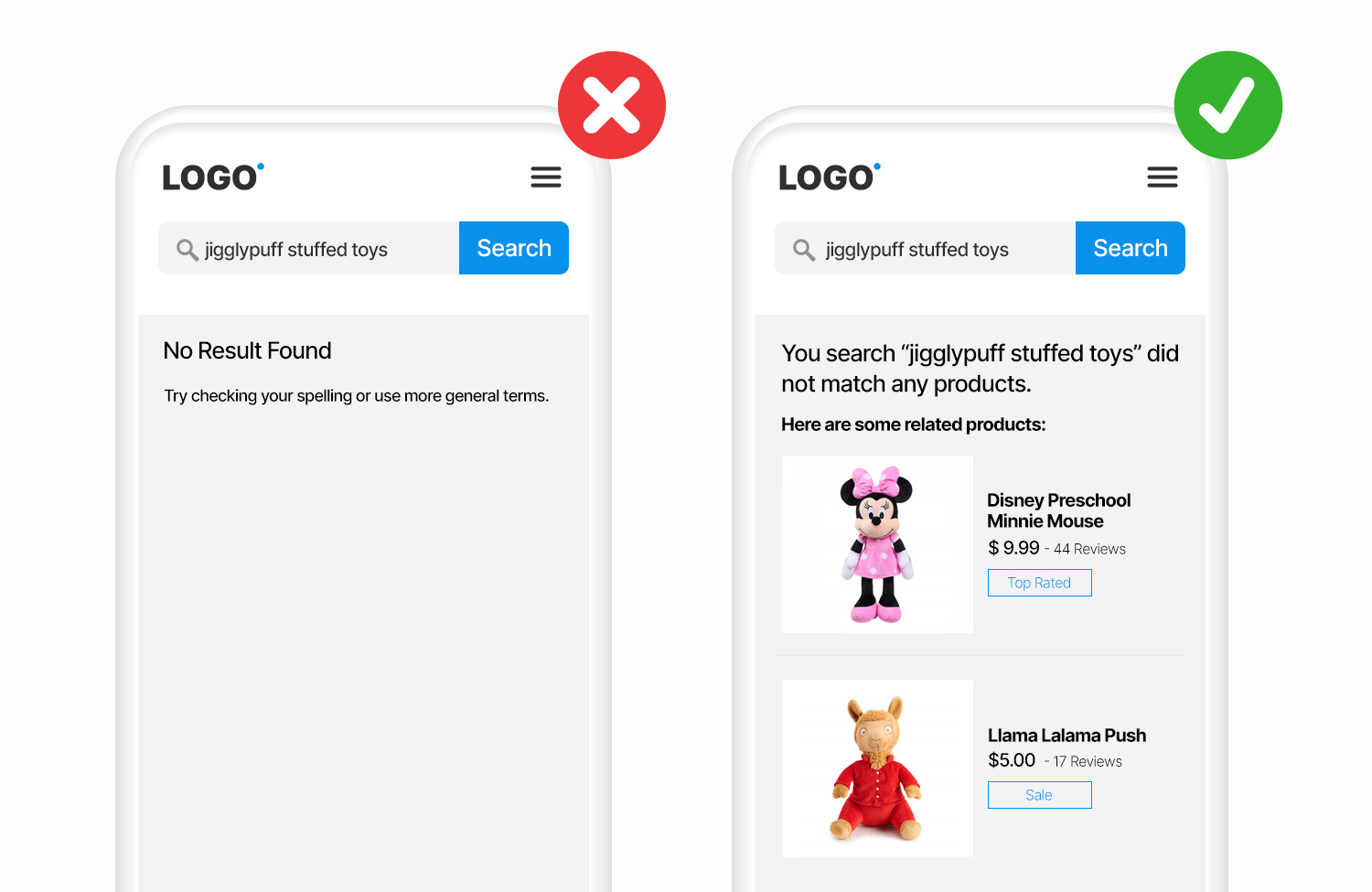
What you don’t want to happen is a “no results” page.
A “no results” page feels like a dead end.
When visitors see “no results,” they may think your site doesn’t have what they’re looking for – and leave.
Providing visitors with a path forward is the best practice.
Under the “zero results” message, try adding a few related products or categories that may pique visitors’ interest.
7. Simplify Results
An on-site search aims to find what you’re looking for quickly.
It means that on-site search results need to be simplified.
Filters allow customers to refine their searches to find what they’re searching.
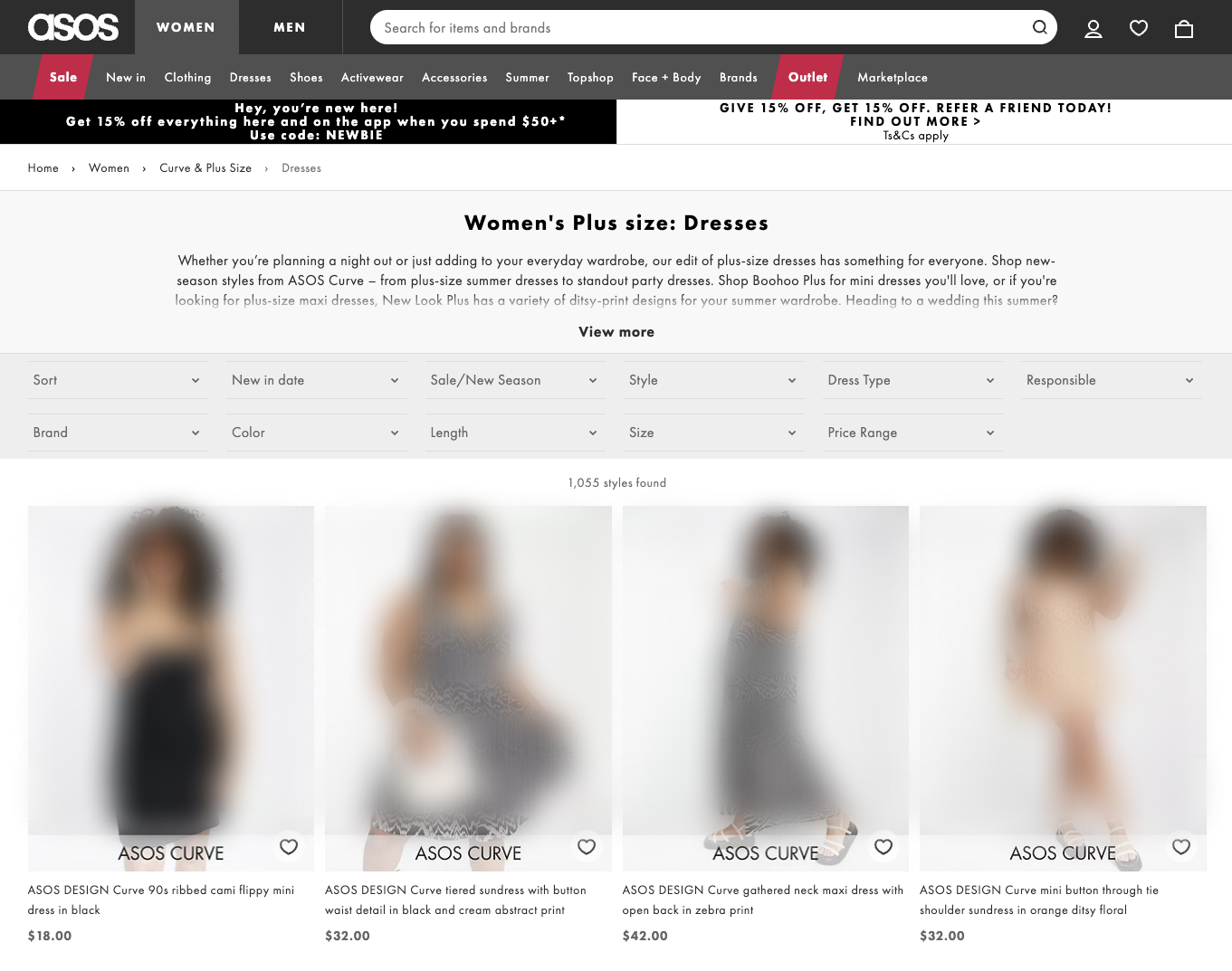
For example, someone searching for “wedding guest plus size dresses” is likely to want to narrow the results down by size in stock, color, price, etc.
How On-Site Search Is Good For SEO
As marketers, we are piecing together first-party data and third-party data, trying this tool and that tool, all to understand how to improve communication with our audience.
The beauty of on-site search is that you don’t have to wonder what a user is up to when they visit your website.
Users will type into your on-site search box exactly what they are searching.
And according to Forrester Research, online visitors who use the search box are two to three times more likely to convert than non-searchers.
Now, the intel on what people, who are three times more likely to convert, are doing on your site is something to notice.
Regularly monitoring data from your on-site search will allow you to support your SEO efforts in the following ways:
- Site UX.
- Keyword Research.
- Gaps in content.
- SERP Feature: Sitelinks Search Box.
Site UX
If you notice a trend in searches beginning from a particular page, something is missing from a navigational standpoint.
Take a look at that page and experiment with making the trending search query a more prominent focus on the page.
For example, if the majority of on-search search begins from your homepage and the majority of search is for the query “login,” you will want to test ways of making the login button more prominent on the homepage.
Keyword Research
Alright, I’m going to share a quick SEO analyst’s secret.
Users will input what they’re looking for into your on-site search box.
These on-site search queries are most likely similar to what they originally typed into Google search.
The people who search these queries are more likely to convert into paying customers.
These are your “grand slam keywords,” bringing in three times the heat.
Use on-site search to your advantage in keyword research.
Gaps In Content
If you see terms with unique high searches and high exit rates, people are looking for this information but can’t find it.
At least not easily.
This data tells you where to develop new content your audience came to find.
Sitelink Search Box
If your website homepage appears as a search result, Google Search may show a scoped search box to your website.
However, this doesn’t guarantee that a sitelinks search box will be shown in search results.
Indexing Site Search Pages: The Risks
I’m hoping, at this point, you are onboard with on-site search!
Before you implement this on your website, there is an SEO risk that you need to be aware of.
Some consequences can impact your site’s performance if you allow internal site search URLs to be indexed.
Webmaster guidelines clearly explain Google’s stance on this topic:

The image reads, “Use the robots.txt file on your web server to manage your crawling budget by preventing crawling of infinite spaces such as search result pages.”
There’s a whole lot of internet out there!
So, Google sets aside a certain amount of time to crawl each site (known as the “crawl budget“) to keep things moving.
How much time (crawl budget) your site gets depends on the size and health of your website.
And, having many internal site search URLs to crawl is not optimal.
Mark your internal search results pages as no-index.
Final Thoughts
Make sure the search box is easy to find and how to use it is clear on desktop and mobile.
Look for an on-site search widget that allows you to customize results.
Don’t slack on the “no results” page; use it as an opportunity to communicate related categories of interest.
Remember to no-index your search result pages to preserve your crawl budget.
And last but not least, use this treasure trove of data to your advantage.
High-quality data tip: Add a GA filter to ensure all search terms are tracked in lower case. This way, it doesn’t matter if a user types “TERM X” or “term x”; your reporting data will not split.
More Resources:
- On-Site Search Intent: 3 Powerful Ways To Increase Sales
- 12 Essential On-Page SEO Factors You Need To Know
- The Complete Guide To On-Page SEO
Featured Image: vectorfusionart/Shutterstock
In-post Images created by Paulo Bobita/Search Engine Journal
