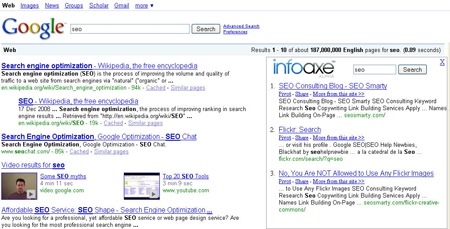
No matter how much Google team tries, more often than not Google search results are not enough. We need to dig deeper, check various sources, ask friends’ advice etc. This post looks at various ways to make Google search results page exhaustive and more scannable: how to add a search sidebar to Google SERPs:
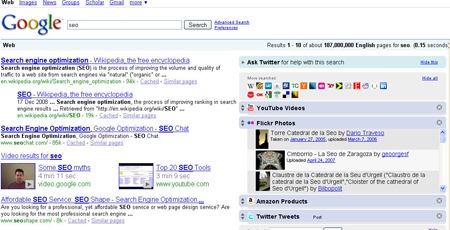
1. WebMynd
WebMynd FireFox extension adds a cute expandable sidebar that displays search results from Flickr, Amazon, YouTube, Yahoo, Digg, Delicious, Techcrunch, and CNN.
2. Unified Search
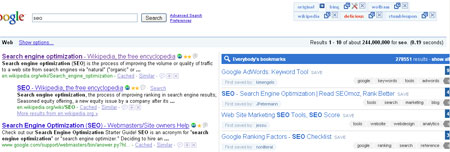
Unified search is a cool new FireFox addon that lets you easily combine and compare side-by-side search results from a number of search engines: Delicious, StumbleUpon, and Bing:
3. Google Search – Sidebar
(Greasemonkey script)
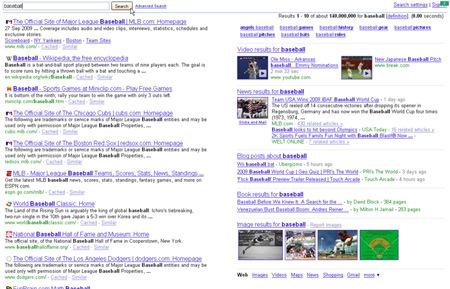
The script “puts aside “extra things” and get simple and neat Google search”.
Those “extras” include blended search results: Google blog search results. Google image search results, Google video search results, as well as related searches.
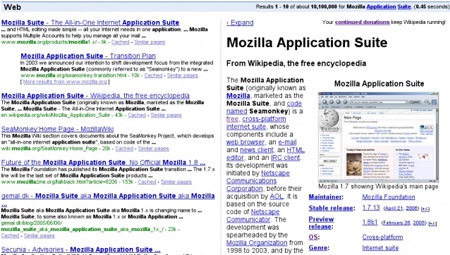
4. Googlepedia
The addon searches Wikipedia for the given keyword and displays the whole article on the topic (including images and links):
5. Infoaxe
Infoaxe is a browser addon that searches your browsing history results based on your Google search term. Of course, you will need to give it access to your browsing history though (keep your privacy in mind).