

Today’s internet speeds are out of this world. According to Statista, the average fixed broadband download speed is 105.15 Mbps, and mobile is 55.95 Mbps.
Even so, code bloat, glitches, and other issues can lead to page sizes that become a critical pain point for SEO.
You would not believe the kinds of page sizes I have run across in SEO audits, the largest being 100 MB (I’m not joking).
There are a number of steps that you can take in order to decrease your page size but first, you need to determine your page size.
We also need to take a look at Core Web Vitals and how the page matches up to Google’s metrics.
In this guide, you’ll find everything you need to understand and check your page size, then optimize it.
General Rules of Thumb for Page Size
Ideally, you want to keep your HTML DOM page size to around 100 kb or less, depending on your niche.
Pages could be larger in some niches; in ecommerce, for example, it’s not uncommon to see pages around 150kb-200kb, depending on how many product images are on the page.
You don’t want to get too large, because then you begin negatively impacting the user experience and could be missing out on opportunities to get a ranking boost with good Core Web Vitals scores.
But cutting page size without an eye to user experience could result in your page not being as useful as your competitors’. Balance is key.
If you are looking for any tools for checking HTML page size, the following tool at SEO Site Checkup is a good one.
Issues That Affect Your Page Size
CSS & JS
When you include default CSS and JS, you want to make sure that you’re also optimizing this code for page load. This means making sure that these files are all minified appropriately, and ensuring that you don’t include massive code bloat.
“Code bloat” means that unnecessary code significantly increases page size, thereby impacting your page speed.
There are different ways of accomplishing the same thing. You want to avoid those that cause issues through over-coding on the CSS and JS side.
Aside from an optimized coding mindset, CSS and JS files need the process of minification. The minification process removes extra spaces and other random code artifacts that don’t need to be there.
It’s important to note that minification won’t change your actual coding – just the coding artifacts. Your mind and development chops will still be needed in order to achieve the ultimate CSS and JS code optimization on the server side.
HTML DOM
A large DOM tree size is a significant cause of page speed issues and can slow it down tremendously.
This impacts things like network efficiency, load performance, memory performance, and runtime performance, all of which can significantly impact your overall page load and Core Web Vitals user experience.
Your development process should include some sort of resource allocation for the optimization of your DOM tree size.
Images
Large images can negatively impact your page size, especially if they interfere with user satisfaction.
If a user has to wait 5 minutes for a 15 MB image to load, you have already lost them.
This is why it’s important to factor in physical pixel size along with image dimensions when you’re working on compressing your images.
Tools for Checking Your Page Size
There are a number of tools for checking your page size. Two I like are:
- Google Page Speed Insights.
- Screaming Frog SEO Spider.
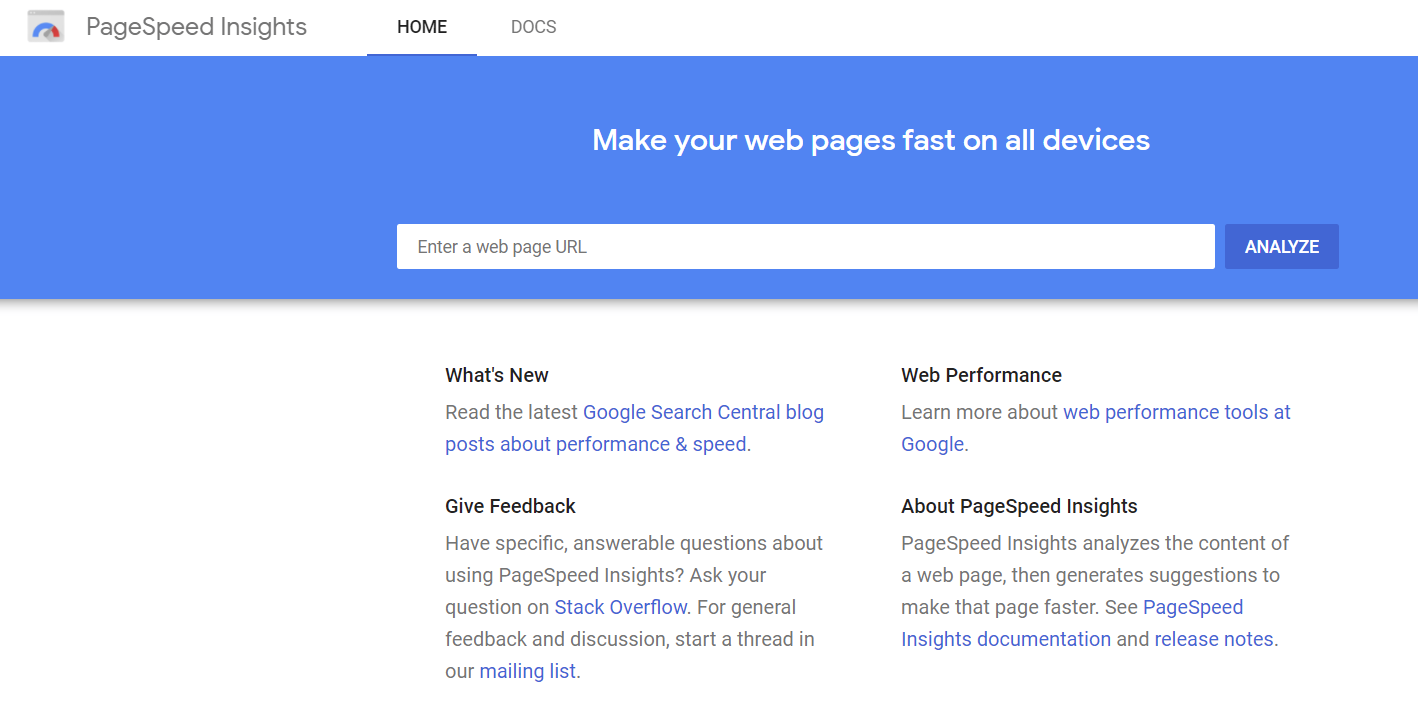
Google’s Page Speed Insights
Google’s Page Speed Insights is a critical tool for identifying page size issues that may be slowing down loading.
In addition, it will help you tick off the items in the checklist for Google’s Core Web Vitals for page size.
Screaming Frog SEO Spider
You can also check your page size using Screaming Frog SEO Spider to perform a crawl of your site.
Once your crawl has been completed, follow these steps to check your page size:
1. Click on the dropdown menu in the upper left-hand corner.
2. Select HTML. This will only display HTML pages that were crawled on your site.
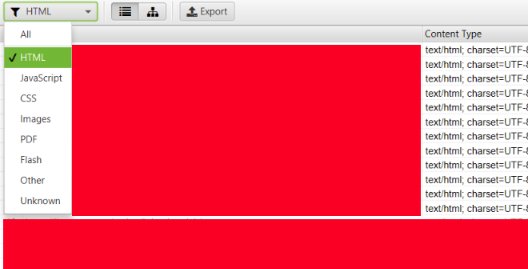
3. Next, scroll to the right until you see the page size numbers, as shown below.
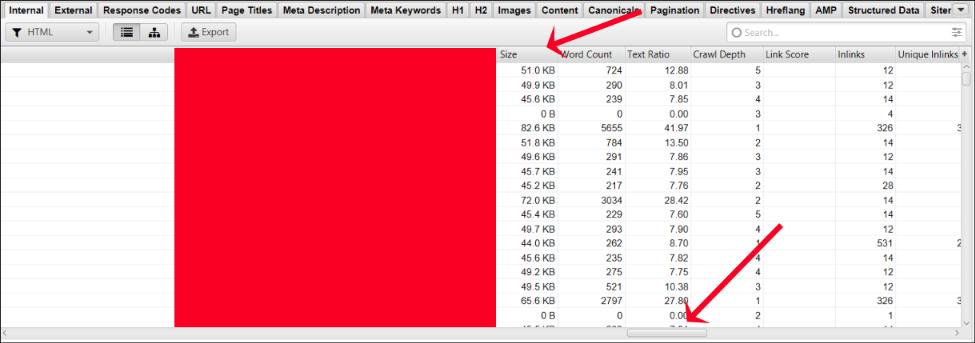
This is how you can check your page size with Screaming Frog SEO Spider.
Why is Checking Your Page Size So Important?
Page size is a key consideration in SEO because it can impact your overall page speed significantly, affecting both search rankings and performance.
Page Load Speeds
According to Google Search Central:
“Speeding up websites is important — not just to site owners, but to all Internet users. Faster sites create happy users and we’ve seen in our internal studies that when a site responds slowly, visitors spend less time there.
But faster sites don’t just improve user experience; recent data shows that improving site speed also reduces operating costs.
Like us, our users place a lot of value in speed — that’s why we’ve decided to take site speed into account in our search rankings. We use a variety of sources to determine the speed of a site relative to other sites.”
Nearly 70% of consumers admit that page speed impacts their willingness to buy from an online retailer, and half said they’d be willing to give up animation and video for faster load times.
And according to Google, as page load time goes from one second to 10 seconds, the probability of a mobile site visitor bouncing increases 123%.
As you can see, speeding up your page is important – not only for user experience but also for your rankings in search engines, as well.
It Can Help Lower Web Hosting Costs
Depending on your internet hosting provider and their hosting plans, you may end up saving on hosting costs with smaller page file sizes.
A smaller page size translates to lower bandwidth (file transfer) used, which can reduce lower hosting costs – particularly on large sites.
Best Practices for Optimizing for Page Size
Pay attention to the following best practices for the best possible page size optimization on your website:
Optimize Those Images
Creating the best, most optimized images requires making sure that you tick the following items off your checklist:
- Physical pixel size.
- Overall image size.
- Maintaining image quality.
Physical pixel size refers to the pixel density of the image. It doesn’t matter if your image is shrunken down from 1600 x 1600 to 500 x 500 if the image pixel density remains the same.
You’re still going to get images that have a 1 MB file size if that’s what you started with.
In order to ensure the proper optimization that takes into account both of those factors, make sure that you take advantage of lossless image compression with tools like Adobe Photoshop, or paid versions of tools like Smush Pro.
Currently, Adobe Photoshop is the gold standard when it comes to image compression.
This will help you target all three factors and have your images still come out crystal clear at the end of the compression process.
You must also consider faster image formats that are better than their predecessors, such as WebP over png.
There are several services you can use for image optimization, including ShortPixel.com and TinyPNG.com.
If you are using WordPress, there are several plugins that are highly useful for this task. One is the Shortpixel Image Optimiser and the other is the Tiny Compress Images plugin.
Don’t Use Custom Fonts Unnecessarily
We’ve all been there. We have all been victims of “I-Want-That-Font-itis”!
Chances are, there is an alternative web-safe font that matches what you want to use quite easily.
If not, it’s important to consider that any additional fonts you add from a third-party resource will take more time to download. That’s just the nature of the beast.
Using web-safe fonts like Arial, Verdana, or Helvetica are all great choices, and you eliminate the possibility of issues arising with the custom font that you chose.
It’s also more cross-platform and cross-browser friendly, meaning that your site will display on as many browsers and devices as possible without looking screwed up.
Minify Your HTML and CSS
The process of minification of your HTML and CSS files can provide significant dividends when it comes to decreasing your page size.
When you minify your HTML and CSS, you get rid of unwanted and unnecessary spacing in the code, and you shrink the page’s file size as a result.
It makes sense to pursue a minification process for all of your pages, especially if you know that your pages are all bloated with unnecessary code.
There are a number of tools you can use to minify your HTML and CSS files, including:
If you’re after a one-click optimization for your WordPress minification tasks, Cloudflare also offers this feature if you’re looking to move to their CDN (Content Delivery Network) service.
The tool over at Minifier.org is also quite useful for this purpose.
Avoid Plug-in Bloat
Adding plugins is not as innocuous as it seems. If you add 5, 10, or 15 plugins at a time, you may want to scale back a lot on that practice.
Just the act of adding plugins to a WordPress site will have negative effects on your page size, along with negative effects on any users who may visit the page (they may experience significant drops in site performance as a result).
Be careful to limit your plugins only to those that are necessary and add the correct functionality needed for your page.
You don’t want to run into a situation where adding plugins in large numbers causes your page to be bogged down with page speed issues.
Optimizing Your Page Size is the First Step Among Many
Your page size can make or break your website’s performance.
Don’t make the mistake of over-burdening your users with unnecessary fonts, overly large images, and unnecessary plug-ins.
All of these practices can result in slow-loading pages, which will frustrate your users and could cause them to abandon your page.
This is just a first step among many when it comes to a solid technical optimization process that works. Read Advanced Technical SEO: A Complete Guide to learn more.
More Resources:
- Google SEO 101: Page Speed Optimization
- How Quickly Should a Page Load for Optimal Experience?
- Core Web Vitals: A Complete Guide
Featured image: Sammby/Shutterstock
