

In 2001, a nonprofit named the Internet Archive launched a new tool called the Wayback Machine on the URL: archive.org.
The mission of the Internet Archive was to build a digital library of the Internet’s history, much the same way paper copies of newspapers are saved in perpetuity.
Because webpages are constantly changing, the Wayback Machine crawlers frequently visit and cache pages for the archive.
Their goal was to make this content available for future generations of researchers, historians, and scholars. But this data is just as valuable to marketers and SEO professionals.
Whenever I am working on a project that involves a steep change in traffic either for my core site or a competitors, one of the first places I will look the cached pages before and after the changes in traffic.
Even if you aren’t doing forensic analysis on a site, just having access to a site’s changelog can be a valuable tool.
You can find old content or even recall a promotion that was run in the previous year.
Troubleshooting with the Wayback Machine
Much like looking at a live website, the cached pages will have all the information available that might explain a shift in traffic.
The entire website, with all HTML included, is contained within the cache, which makes it fairly simple to identify obvious structural or technical changes.
In comparing the differences between a before and after image of my site or a competitor’s, I look for issues with:
- On-page meta.
- Internal linking.
- Image usages.
- And even any dynamic portions of the page that might have been added or removed.
Here are the steps to use the Wayback Machine for troubleshooting.
1. Put your URL into the search box of Archive.org
This does not need to be a homepage. It can be any URL on the site.
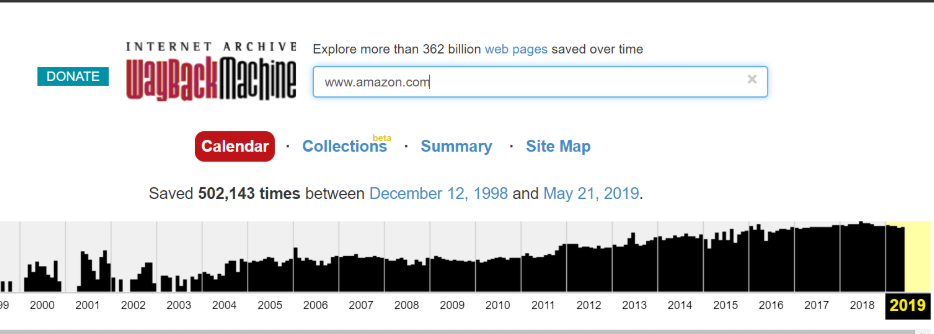
2. Choose a date where you believe the code may have changed
Note the color coding of the dates:
- Red means there was an error.
- Green indicates a redirect happens.
- Blue means there was a good cache of the page.
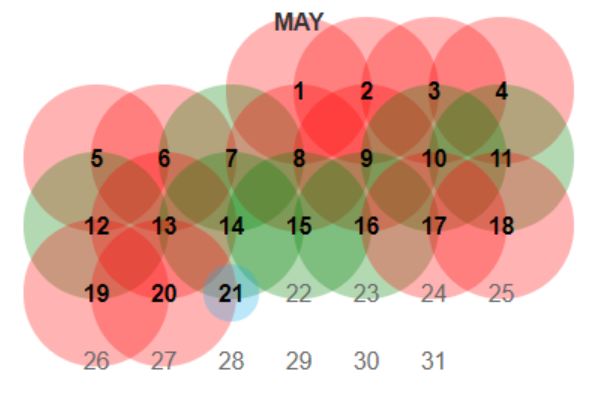
You may have to continue picking dates and then digging through each version until you find something interesting worth looking at further.
For larger sites, you will find that homepages are cached multiple times per day while other sites will only be cached a few times per year
3. The cached page from archive.org will load in your browser like any website except that it will have a header from Archive.org
Look for obvious changes in structure and content that may have lead to a change in search visibility.
4. Open the source code of the page and search for:
- Title
- Description
- Robots
- Canonicals
- JavaScript
5. Compare anything that is different from the current site and analyze causal or correlative relationships
No detail is too small to be investigated. Look at things like cross-links, words used on pages, and even for evidence that a site may have been hacked during a particular time period.
You should even look at the specific language in any calls to action as a change here might impact conversions even if traffic now is higher than the time of the Wayback Machine’s cache.
Robots File Troubleshooting
The Wayback Machine even retains snapshots of robots.txt files so if there was a change in crawling permissions the evidence is readily available.
This feature has been amazingly useful for me when sites seem to have dropped out of the index mysteriously with no obvious penalty, spam attack, or a presently visible issue with a robots.txt file.
To find the robots file history just drop the robots URL into the search box like this

After that choose a date and then do a diff analysis between the current robots file. There are a number of free tools online which allow for comparisons between two different sets of text.
Backlink Research
An additional less obvious use case for the Wayback Machine is to identify how competitors may have built backlinks in the past.
Using a tool like Ahrefs I have looked at the “lost” links of a website and then put them into the Wayback Machine to see how they used to link to a target website.
A natural link shouldn’t really get “lost” and this is a great way to see why the links might have disappeared.
Gray Hat Uses
Aside from these incredibly useful ways to use the Wayback Machine to troubleshoot SEO issues, there are also some seedier ways that some use this data.
For those that are building private blog networks (PBNs) for backlink purposes, the archived site is a great way to restore the content of a recently purchased expired domain.
The restored site is then filled with links to other sites in the network.
Affiliates
One other way, again from the darker side of things, that people have used this restored content is to turn it into an affiliate site for that category.
For example, if someone bought an expired domain for a bank, they would restore the content and then place CTAs all over the site to fill out a mortgage form.
The customer might think they were getting in touch with a bank. However, in reality, their contact info is being auctioned off to a variety of mortgage brokers.
Not to end on a dark note, there is one final amazing way to use the Wayback Machine and it is the one intended by the creators of the site.
This is the archive of everything on the web, and if someone was researching Amazon’s atmospheric growth over the last two decades through the progression of their website, this is where they would find an image of what Amazon’s early and every subsequent homepage looked like.
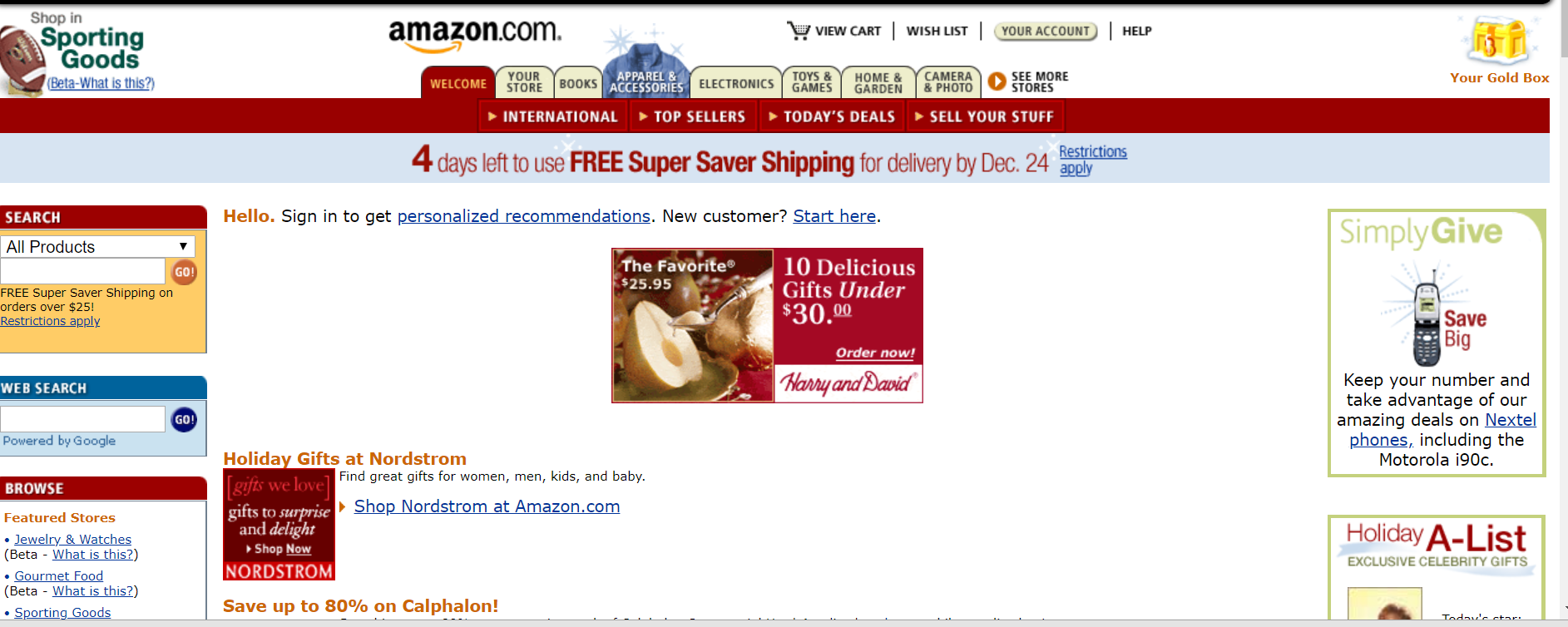
Shady use cases aside, the Wayback Machine is one of the best free tools you can have in your digital marketing arsenal. There is simply no other tool that has 18 years of history of nearly every website in the world.
More Resources:
- The 12 Areas of SEO Knowledge You Must Master to be Successful
- 14 Great Search Engines You Can Use Instead of Google
- Advanced Technical SEO: A Complete Guide
Image Credits
All screenshots taken by author, May 2019
