

Anybody who is serious about improving their traffic, conversion rates, and overall web strategy performance knows that few things matter more than cold, hard data.
After all, data is power.
Data doesn’t lie to you.
Data gives you the cold, hard facts.
And Google Analytics is revered by many as the bottom line, the final say when it comes to the data that matters.
If used properly, the data that Google Analytics provides can help you craft better web strategies for your WordPress site and your audience.
This is why Google Analytics plugins are enjoying so much popularity with WordPress users.
Not all of these plugins are created equal.
In this article, you’ll learn about three of the best Google Analytics plugins for WordPress so you can get a better idea about which one is right for your needs.
1. MonsterInsights
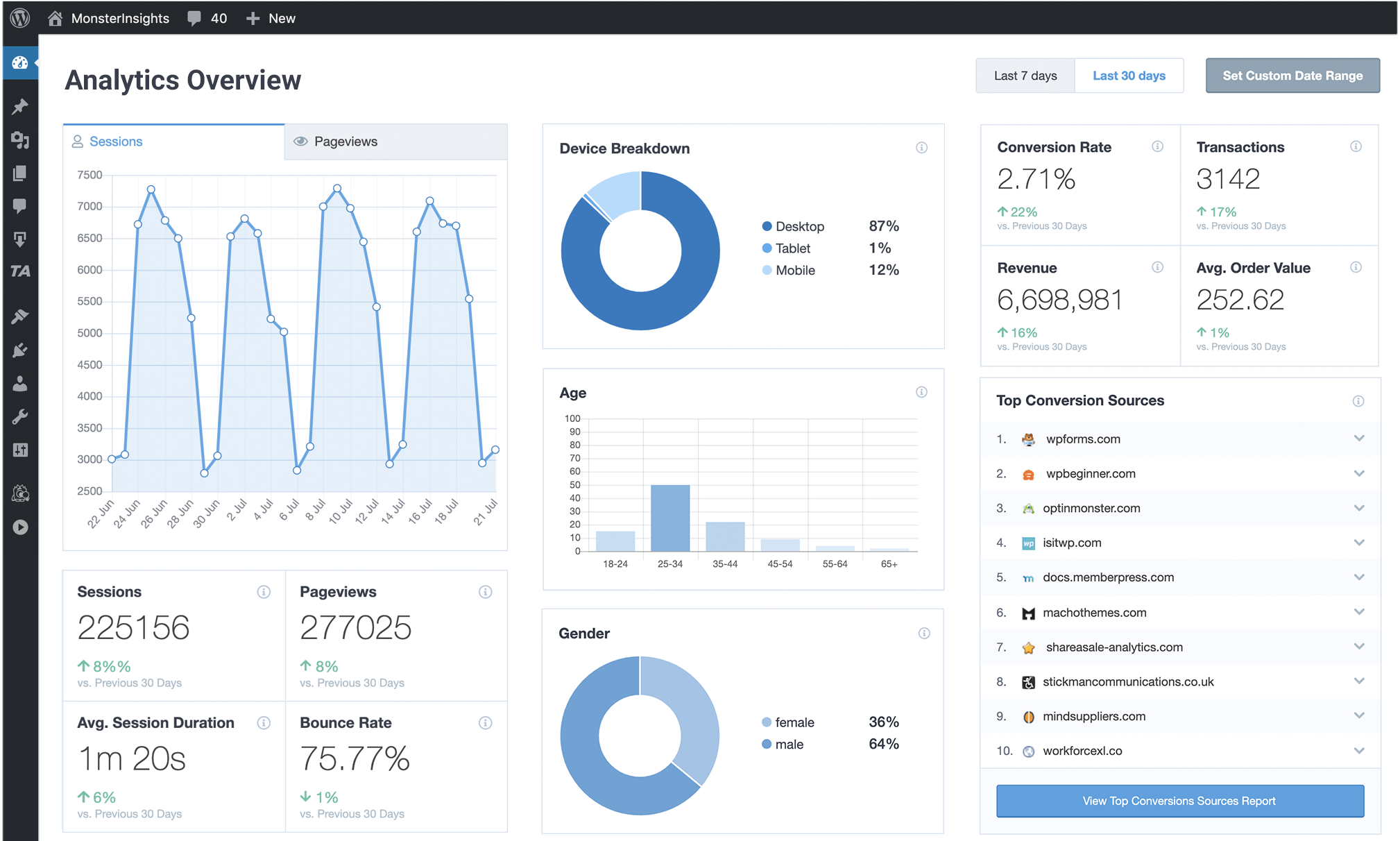
Any list about the best Google Analytics plugins for WordPress must include MonsterInsights, and often starts with it.
The popular plugin has more than 2 million active installs, making it one of the most widely used Google Analytics plugins in the world, and for good reason.
MonsterInsights is just that good.
Installation
One of the best parts about MonsterInsights is that it requires absolutely zero coding knowledge.
You won’t need to hire a developer, or wait days, or even weeks to start using it.
Just install the plugin and voila, you have Google Analytics on your WordPress site.
Toggle a few switches to enable the features you want, and you are good to go.
Don’t let the effortless installation fool you, though.
This Google Analytics plugin packs quite a punch.
Data Analysis
MonsterInsights tells you exactly how visitors find your WordPress site.
- Were they referred by somebody else?
- What specific keywords did they search for to arrive at your website?
- What links they did click on once they got there?
With this data, you can figure out which path to take when it comes to getting more traffic to your website.
MonsterInsights also excels at letting you get to know your visitors in a comprehensive way.
You will collect information about their age, what country they came from, interests, gender, and even about which browser they use.
This data from the MonsterInsights Website Audience Report can be valuable when thinking about how you want to better reach and engage your WordPress site visitors.
After all, it only makes sense that understanding your potential customers better will let you craft a better overall web strategy.
Now that you know who your traffic is and where it is coming from, you can use the Website Content Report MonsterInsights offers to understand just what they are looking for.
See what content is the most popular among your visitors and focus on increasing conversions.
Some content not doing as well?
Maybe you can tweak it or replace it altogether with something that will be more interesting to your website visitors.
By having the data the MonsterInsights Google Analytics plugin provides, you don’t have to keep guessing in the dark about what works and what doesn’t.
You can make informed decisions about how to improve your website’s traffic and conversions.
If you’re running an ecommerce store with your WordPress site, you will definitely find MonsterInsights’ Ecommerce Report useful.
The report contains all the valuable data you could ever want about how your ecommerce store is doing.
You can pinpoint your top products, see total revenue, and check out conversion rates.
Want to find out exactly how many transactions have taken place in a specific time frame?
MonsterInsights makes it easy to get all this data at a glance.
Bottom Line
With all the features MonsterInsights offers, it’s no wonder it is consistently rated as one of the best Google Analytics plugins for WordPress.
2. Analytify
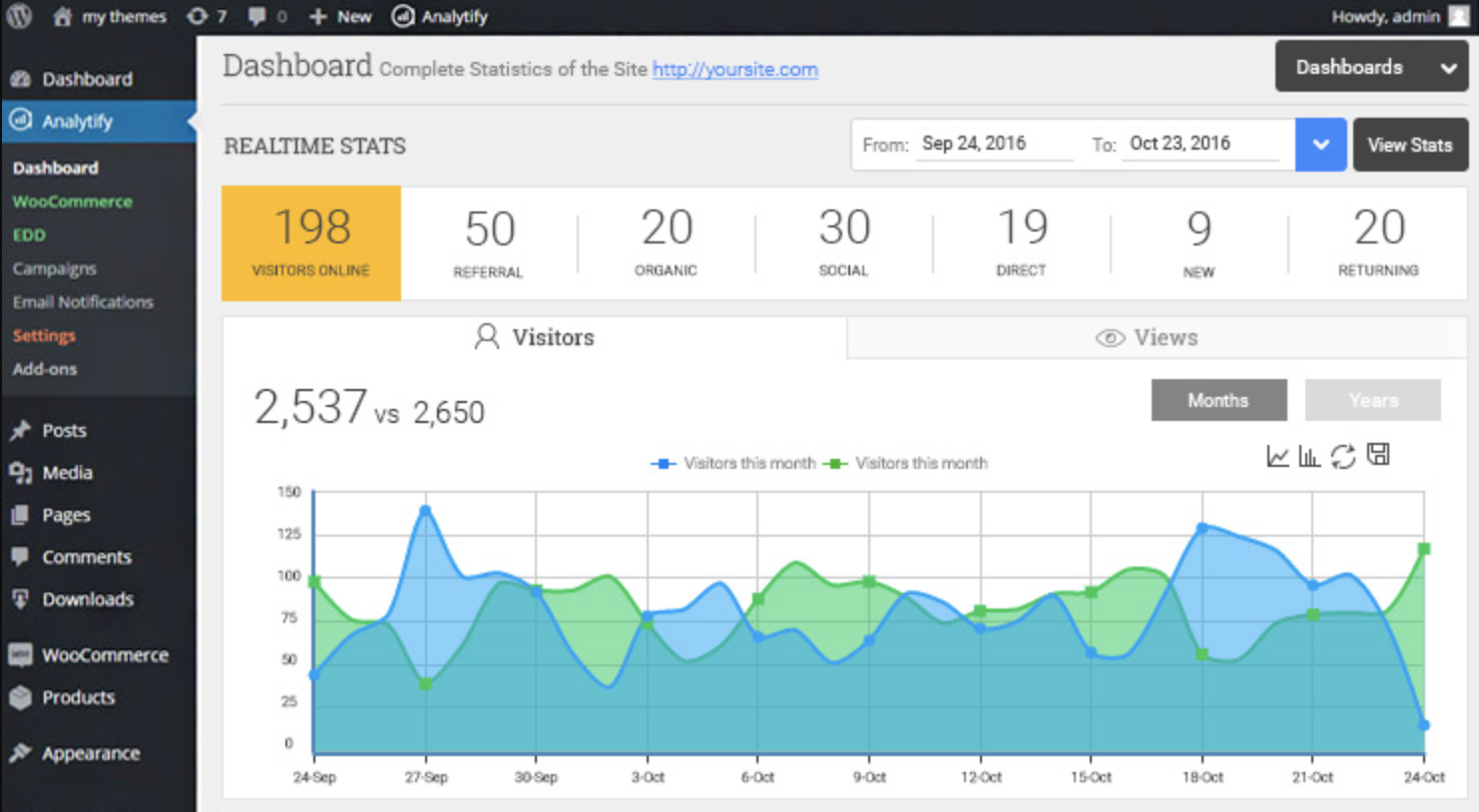
For WordPress users who want a Google Analytics plugin that makes things easy to understand, Analytify is a great choice to consider.
While the data and metrics that Google Analytics provides are valuable tools, they can be extremely complicated and difficult to make heads and tails of.
Analytify simplifies the data for you so that you get a good overall grasp of the activity on your WordPress site with just a glance.
Installation
To start, Analytify is ridiculously easy to install. There is no coding knowledge necessary.
You don’t even have to know how to copy and paste code.
All it takes is a 1-Click Authentication process and you are good to go.
As soon as the plugin is installed, you can now begin to view the Google Analytics stats of your site from your WordPress dashboard.
Data Analysis
As with all Google Analytics plugins, one of the biggest reasons for installing Analytify is so that the data it presents can help you improve your WordPress site’s traffic and SEO.
To that end, Analytify gives you a ton of data with which to work with.
This information lets you get to know your visitors in a comprehensive and detailed way.
For example, this powerful little plugin can tell you what countries and cities your visitors are from.
It will also tell you if they are on mobile devices, and what browsers they are using.
You can use this information to better understand your visitors, so you can craft a better marketing strategy that’s custom-tailored to them.
Analytify also lets you see what keywords are performing best for you.
Aside from that, you can see statistics and metrics on every single page, post, and custom post.
- What are the bounce rates of your pages?
- Are you getting returning visitors regularly? Or are they all new visitors?
- How much time do people usually spend on each page?
All of this information can be found in your WordPress dashboard when you install this amazing plugin.
Analytify will also send you automated email reports of all of these metrics. This data can be invaluable when it comes to deciding how to proceed with your overall web strategy.
You’ll be able to easily identify the weak links in your digital marketing strategy and take steps to improve on them.
With the digital landscape being as competitive as it is, being able to properly put data to use can be the difference between mediocrity and success. Analytify can give you that edge over the competition.
Are you running an ecommerce store using the WooCommerce plugin for WordPress?
Analytify’s got you covered there, too. This nifty little plugin offers enhanced ecommerce reports and tracking for the popular open-source ecommerce plugin.
Aside from the total transactions and total revenue, this also includes details such as total add-to-carts, average order value, unique purchases, and product checkouts.
You can see all this data right from your WordPress dashboard, so you can tell at a glance exactly how your ecommerce endeavor is doing.
Bottom Line
And if all of these powerful features aren’t quite enough, Analytify is also extremely customizable.
A basic understanding of CSS will let you change how the plugin looks to your tastes.
No wonder this Google Analytics plugin has over 200,000 downloads!
3. Google Analytics Dashboard for WP by ExactMetrics (formerly GADWP)
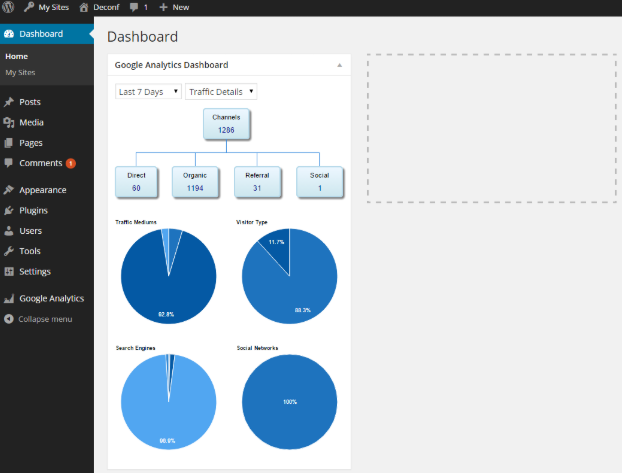
With over 1 million active installs, Google Analytics Dashboard for WP is one of the most popular and widely used Google Analytics plugins out there.
Like Analytify and MonsterInsights, this powerful plugin also gives you access to all the Google Analytics data you could ever want right on your WordPress dashboard.
Installation
Installing Google Analytics Dashboard for WP is a little more complicated than the other two Google Analytics plugins on this list, but the extra effort is worth it.
Google Analytics Dashboard for WP by ExactMetrics also lets you make custom changes to the latest Google Analytics tracking code.
This includes tweaking the code for custom enhanced link attribution, cross-domain tracking, remarketing and demographics tracking, and Page Speed sampling rate control.
This is perfect for those with a little more experience with working with code.
Data Analysis
With this plugin, not only do you get the standard data about your WordPress pages’ bounce rate, views, referrers, and keywords, you also get real-time statistics that can be valuable.
Imagine being able to monitor your visitors and traffic sources as they happen.
Sounds pretty amazing, right?
Another thing that users love about this amazing plugin is the ability to track custom events like emails, downloads, outbound links, and fragment identifiers.
In the same way, you can also track dimensions such as categories, tags, and user engagement with ease.
If used properly, it can really be an incredibly powerful tool to add to your arsenal when it comes to your web strategy.
Bottom Line
Are you using Multisite for WordPress? No problem.
Google Analytics Dashboard for WP by ExactMetrics is 100% compatible with multisite installs.
Whether you want to use a single Google Analytics account or multiple accounts, this plugin has got you covered.
Make the Most Informed Marketing Decisions by Harnessing the Power of Data
Any of these Google Analytics plugins can make a huge impact on the performance of your WordPress site.
Having hard data to give you exact numbers on how your site is doing will help you capitalize on your strengths and shore up your weaknesses.
Knowing is half the battle, and these plugins will help you do just that.
More Resources:
- 6 Awesome WordPress Plugins That Will Make Your Site Mobile-Friendly
- 9 Best AMP WordPress Plugins for Speed, Search & Tracking
- 5 Essential Schema Plugins for WordPress
Image Credits
All screenshots taken by author, May 2020
