
A couple of weeks ago I shared a handy WordPress plugin that helps to smartly interlink your blog content (best to naturally link to your categories and tags). The post was very well-received, so today I am following up with the overview of all WordPress plugins that help to (automatically) interlink your blog posts, pages and categories.
Internal Link Building
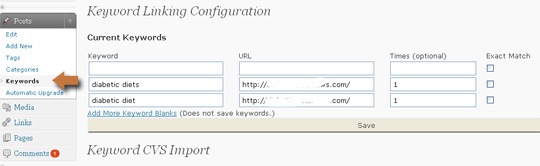
With this plugin you will be able to give a keyword and the destination page and it will be linked globally throughout the blog:
Settings:
- Set case sensitivity: By default the keyword “dog” will match “dog” and “Dog.” To disable this behavior, select “exact match.”
- Set the number of links per post: If you only want to link a keyword a certain number of times in a post, you may set this using the “Times” option.
- Set several destination URLs: If you would like a keyword to randomly link to one of several URLs, separate each URL with a bar ‘|’.\
- Set several keywords per one URL: If you would like to link multiple keywords to a URL, separate each keyword with a bar ‘|’. (Times will refer to each keyword not all combined.)
- Use nofollow: Optionally you can add “nofollow” attribute to the links (for example to external ones).
You can import multiple keywords from a CSV file:
Insights
This plugin makes it easier to find related posts while you are creating content.
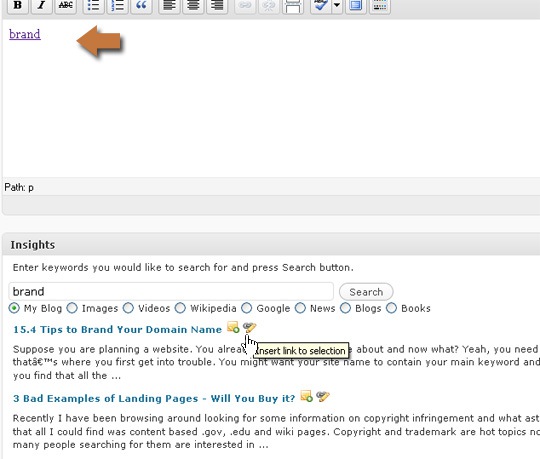
The process looks as follows:
- While writing the post, single out related terms and keywords;
- Search your blog using Insights field under the WP post editor field;
- Add links to related posts with one click of a mouse!
Additionally, you can:
- Insert Flickr Images
- Insert Youtube videos
- Search and link to Wikipedia
- Search Google
- Search News
- Google Blog Search
- Insert a Google Map
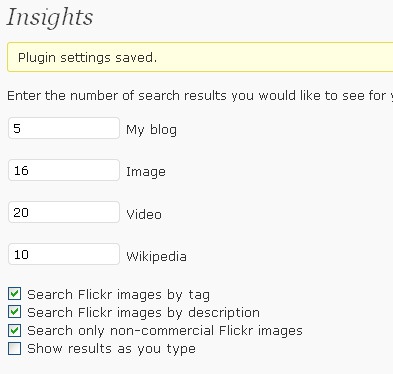
Via settings you can configure:
- How many search results you want to see;
- Flickr search options;
- Google maps API key (if you need Google Maps search results).
More plugins I played with:
1. Inlinks: hyperlinks any given keyword with any given URL. However there’s no way to set the number of links per page. Besides, attempting to delete one of the entries I got “You do not have permission” (so who does if I am an admin of that blog???)
2. Interlinks: it says it interlinks posts “wiki-style” but in reality the wiki-style is actually the syntax. I don’t think it is really usable (maybe for some it isn’t!).
3. Cross-linker (same for KB Linker): seems to be installed and configured successfully but never hyperlinked anything (not sure what is wrong).
