

The vast majority of people use browsers to access the web.
But most SEO professionals take it a step further and use those same browsers to do a lot more.
In fact, some of the most important tools in my arsenal are my browser and its extensions.
So, let’s dive right in and see what we can do with them. And the best part is, all of them are free.
[Agency SEO Tools] Download the free guide →
1. Ghost Browser
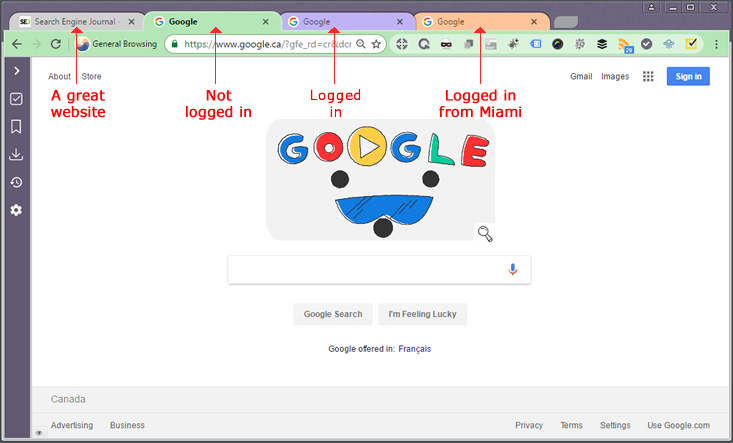
Ghost Browser is built on Chrome so everything available to you there is available in Ghost Browser… and more.
The biggest reason I switched to Ghost Browser is for what they call “sessions.”
Essentially a session is a fresh instance of Chrome that operates within new windows or even tab(s).
In the image above, you’ll see there are four different colored tabs, each with a different site up.
Each of these colors represents a session and they’re independent, which is why one of them is not logged in, one can be logged in, and another is logged in from a different location.
You can run multiple tabs for each session.
So, for example, I can be logged into one session as me to manage an AdWords campaign but also logged in through a different account to access the client’s analytics and Search Console (where they aren’t controlled by the same account).
Similarly, each session can be used to log into different social accounts, etc.
Ghost Browser also has Tasks. Essentially, you can save sets of tabs with their login state as a project and not have to log in and out or open all the different tab sets you likely regularly do each time you need to access them.
The free version supports three sessions at a time – so even it is three times better than what you’re likely currently working with.
There is a pro version. I found it worth the investment based on my usage, you may not.
Either way, after using the free version for a bit you’ll wonder how you ever survived without it.
Note: I also discussed Ghost Browser in my article on non-SEO tools for the SEO.
2. Chrome Developer Tools
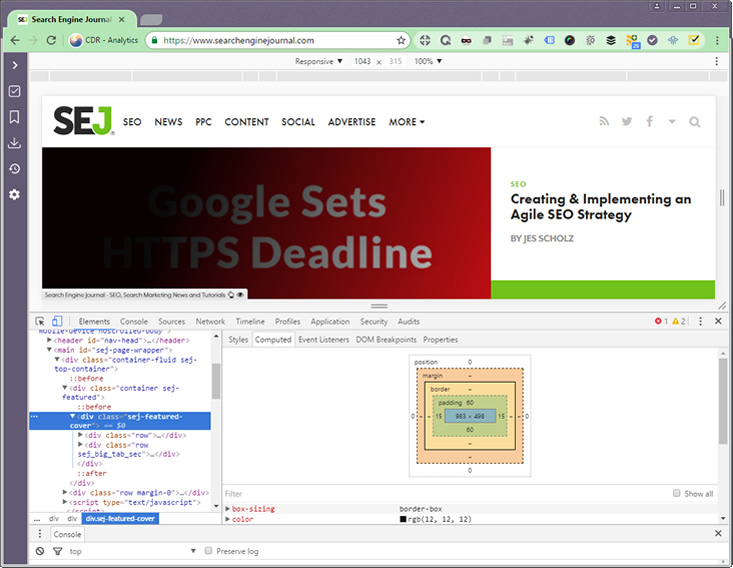
There is virtually no way I could cover all the features, functions, and uses of Chrome Developer Tools in this article.
The tool is built into Chrome and is accessed via Chrome Menu > More tools > Developer tools.
Easily the most common tasks I use it for is to find code, determine the size of elements, and troubleshoot them.
As illustrated in the image above, the tool allows you to hover over and select an element on a given webpage and it will display its code and (in this case) the computed output characteristics.
You can even adjust the code right in the Developer Tools to see how it would render prior to making the changes to the live site. You can do this on the desktop site or set it to render the page as it would on many popular mobile devices.
This isn’t the most advanced of its functionality, which includes various speed, security, and troubleshooting capabilities ranging from generating waterfalls of resource load times to indicating which resources are slowing down the site load.
The advantage to all this vs. some of the other online tools you might use?
The results are real world.
That is, you’re seeing how your browser on your connection is impacted by the resources being loaded.
Read the tool’s page and explore. There’s a ton in there.
When you know what data you have access to, you’ll know where to look when you need answers to related questions.
3. SEO Quake
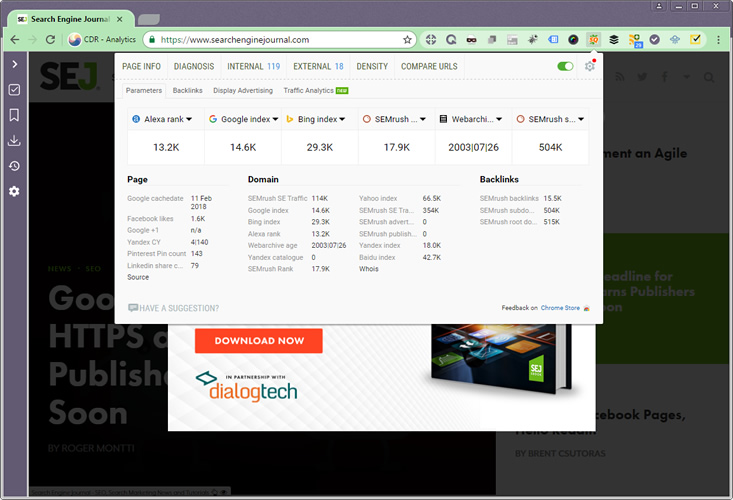
SEO Quake is a classic among the extensions and plugins used by SEO pros – and for good reason.
Essentially, SEO Quake gives rapid access to an array of data that we all want.
On any given webpage a simple click to pull in the metrics will list backlinks data, cache dates, indexing information, and more.
With a couple extra clicks you gain access to the internal and external backlinks data, keyword density information (if you’re interested in that), and a ton of information regarding the use of Schema, heading tags, metas and more.
SEO Quake is not a replacement for site audit and analysis tools but gives an excellent quick snapshot of a page’s information.
Perfect when you need just some limited info or are on a phone call and need to pull up some core metrics.
It even ties in with SEMrush to yield some basic traffic stats as well – handy for competitor research, especially when considering new content strategies.
4. User-Agent Switcher
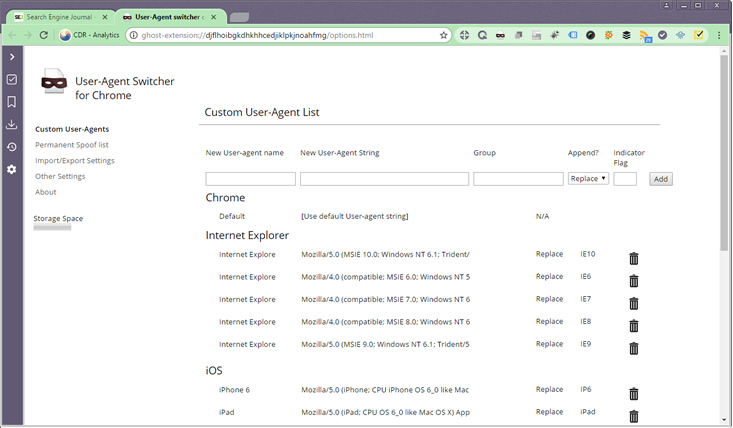
This is extremely helpful when developing new sites – especially when that site is built using less predictable technologies.
Essentially User-Agent Switcher is exactly what it sounds like: an easy to set up plugin that switches the user agent info sent allowing you to view a site as a different browser or bot.
I can’t count the number of times I’ve used it to troubleshoot crawl issues or uncover differences in how Googlebot is viewing a page versus a browser.
Obviously, it can also be helpful when determining how a site will load with different browsers or operating systems as well.
5. Tag Assistant
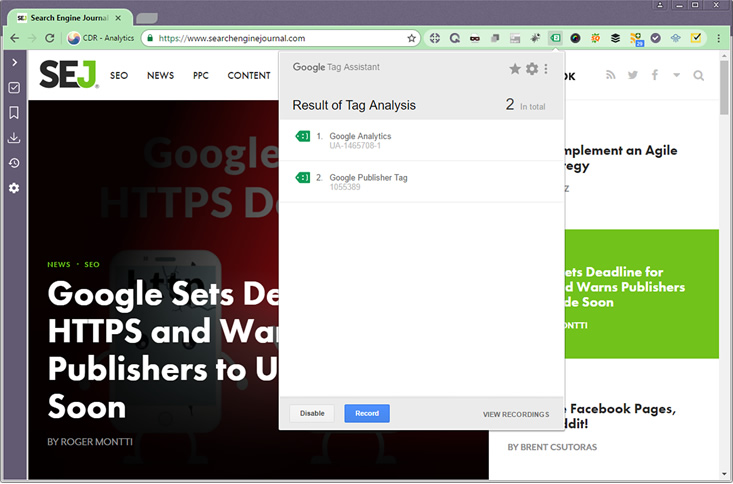
Google Tag Assistant is an extremely useful tool, especially for those who use Google Tag Manager.
It can also be handy when you simply need to identify issues with analytics or other tracking codes (AdWords, etc.)
The icon for the extension changes color depending on whether there are issues detected and makes note of the issues when clicked.
Search Engine Journal gets a green light, as illustrated above, but warnings and errors get reported when there are duplicate or empty tags or tags not configured properly.
Tag Assistant also reports on duplicate or analytics code issues.
It handily lets you record a session allowing you to navigate paths within your site (or other’s) and then review the recording to find errors and issues.
It’s an invaluable troubleshooting tool across an array of scenarios.
Here’s Google’s video outlining some of its core features:
6. Show Title Tag
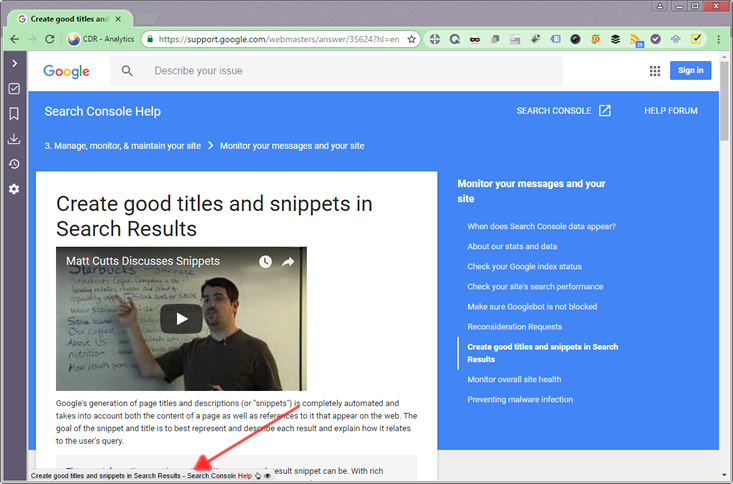
By no means a critical plugin but a handy one, Show Title Tag simply displays the page title within the browser.
You can move it to any of the corners of the browser and the red text indicates where it’s likely to be cut off in search results.
It’s helpful when viewing competitors’ sites to quickly seeing how they’re doing their titling beyond the short snippet that would appear in the tab and without viewing the source or opening Developer Tools.
This plugin is also helpful when you’re navigating your own site, highlighting instances where your title might be too long.
7. Ghost Proxy Control
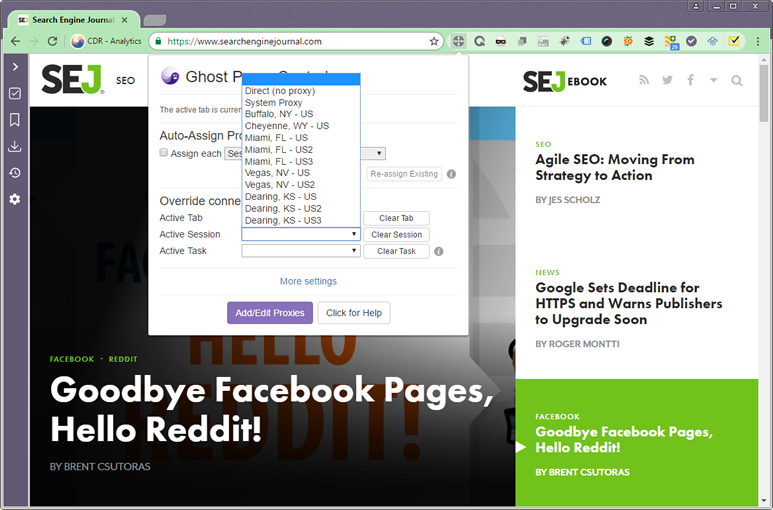
The Ghost Proxy Control extension comes pre-loaded with Ghost Browser.
Basically, you can add your proxies in and access them easily via the extension.
One of the big perks to the combo of Ghost Browser and Ghost Proxy Control is that you can load different proxies into different session and basically have a tab for each location.
I’ve found this incredibly useful for checking SERP results from various location and having the ability to view them at the same time, side by side.
It’s specifically interesting for local SEO.
The ability to check not just rankings from different locations but compare easily how the layout might differ.
The control allows for a proxy to be assigned to a single tab or an entire session (indicated by multiple tabs of the same color).
While the extension is free, proxies generally are not.
Although free proxies are available, I pay about $20 per month for 10 dedicated proxies.
Conclusion
There are definitely more browser extensions and plugins than what I’ve included on this list of essentials.
However, most of those require subscriptions, are too similar to one of those noted above, or don’t apply to the duties of virtually every SEO pro I know.
For example, Moz and Buzzsumo have great extensions. But they can be quite frustrating unless you have a paid subscription.
Image Credits
Screenshots taken by Dave Davies, February 2018
