
I know that our readers love cheat sheets: our last year’s post listing SEO cheatsheets had a great response. This week I have collected another set of useful lists that will allow you to use Google services to their full potential.
Enjoy! 7 useful Google cheatsheets:
1. Google Search Cheatsheet: Google Shortcuts
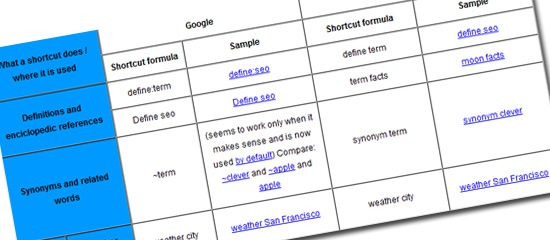
Download here: Google (and Yahoo) Search Shortcuts
A search shortcut is any pre-defined combination of characters / words that allows to quickly get an answer to your initial question. Google has plenty of them – most of these have become even more efficient with Google Instant – allowing you to see the answer even before typing the whole shortcut query.
Favorite shortcuts:
| define:term | For definitions and encyclopedic references |
| site:domain.com / site:.tld | Search within a site or within a top level domain |
| cache: | Access the saved copy of the page |
2. Google Search Cheatsheet: Advanced Operators
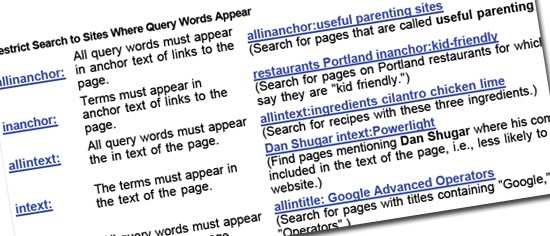
Download link: Google Advanced Operators
Google has quite a few search operators. Apart from the above cheat sheet that lists pretty much all of them, here are some additional collections and tips on making the most of them:
- Wildcard Search : When and How To Use It
- Make Your Language Richer with Google Search
3. Google Analytics Cheatsheet: Features and Hacks
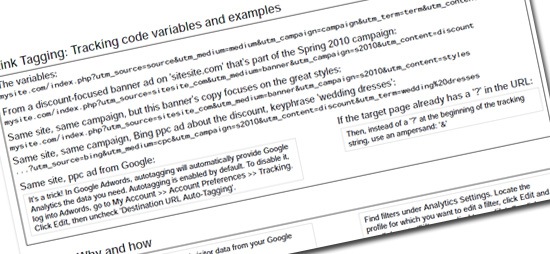
Download link: Google Analytics Cheatsheet
Google Analytics has tons of features – so this cheatsheet (courtesy of Ian Lurie) must have involved tons of work. The two-sheet list contains the following sections:
- Setting up help (including tips if your site spans multiple subdomains);
- Link tagging: tracking code variables and examples
- The comprehensive guide to Google Analytics Filters
- Goals and Goal tracking
- Tracking 404 errors;
- Advanced hacks – collection;
- Related tools and resources.
4. Gmail Cheatsheet: Keyboard Shortcuts
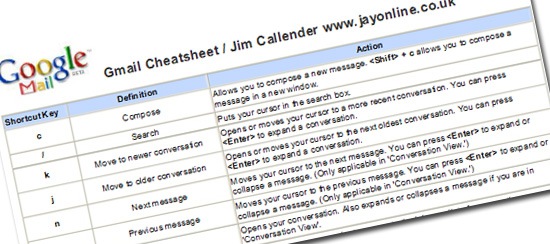
Download link: Gmail Shortcuts on Scribd and this graphical cheat sheet
With Gmail labs and third-party tools, Gmail web interface is quickly becoming the preferred email management application. And these keyboard shortcuts will make your work even more productive.
Personal favorites:
| g then s | Takes you to all conversations you have starred. |
| g then i | Returns you to the inbox. |
| / | Puts your cursor in the search box. |
5. Google Docs Cheatsheet: Keyboard Shortcuts

Download links:
- Google Docs: Keyboard shortcuts for Google spreadsheets
- Google Docs: Keyboard shortcuts for Google presentations
- Google Docs: Keyboard shortcuts for Google documents
If you like using Google Docs, you will love these shortcuts. You are likely to be aware of most of them by now, so chances are you will not have to keep the cheat sheet!
Personal favorites:
| Alt+Enter | Start a new line in the same cell |
| Ctrl+Enter | Insert line break in a cell |
| Shift+F2 | Edit comment |
| Ctrl+/ | Open keyboard shortcuts help |
6. Google Reader Cheat Sheet: Keyboard Shortcuts
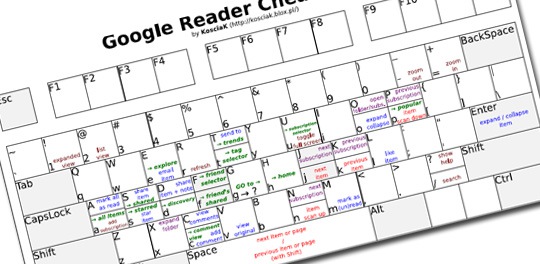
Download link: GReader cheatsheet (visual)
If you like Google, you are likely to be using Google Reader. Besides, like I described in my post on creating permanent Twitter archive, it can be used to store and make searchable lots of data.
7. Honorable Mention! All Google Keyboard Shortcuts!
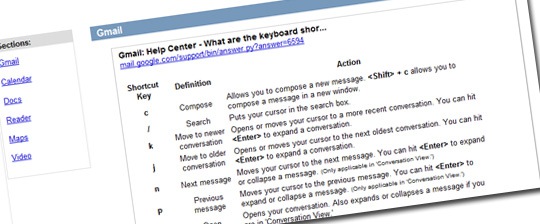
Download link: Google Shortcuts
The huge guide to keyboard shortcuts for Gmail, Google Calendar, Google Docs, Google Reader, Google Maps and Google Video.
