
Link-building strategies, along with SEO tools, have certainly changed over the years.
Since the old automated link-building tools that automatically placed content like KontentMachine or GSA’s Search Engine Ranker, modern tools have moved to manual research and outreach platforms.
Tools that many of my link-building colleagues and I use today look more like ones used for public relations (PR) rather than link-building. However, there are still tools specific to link building that aren’t going anywhere.
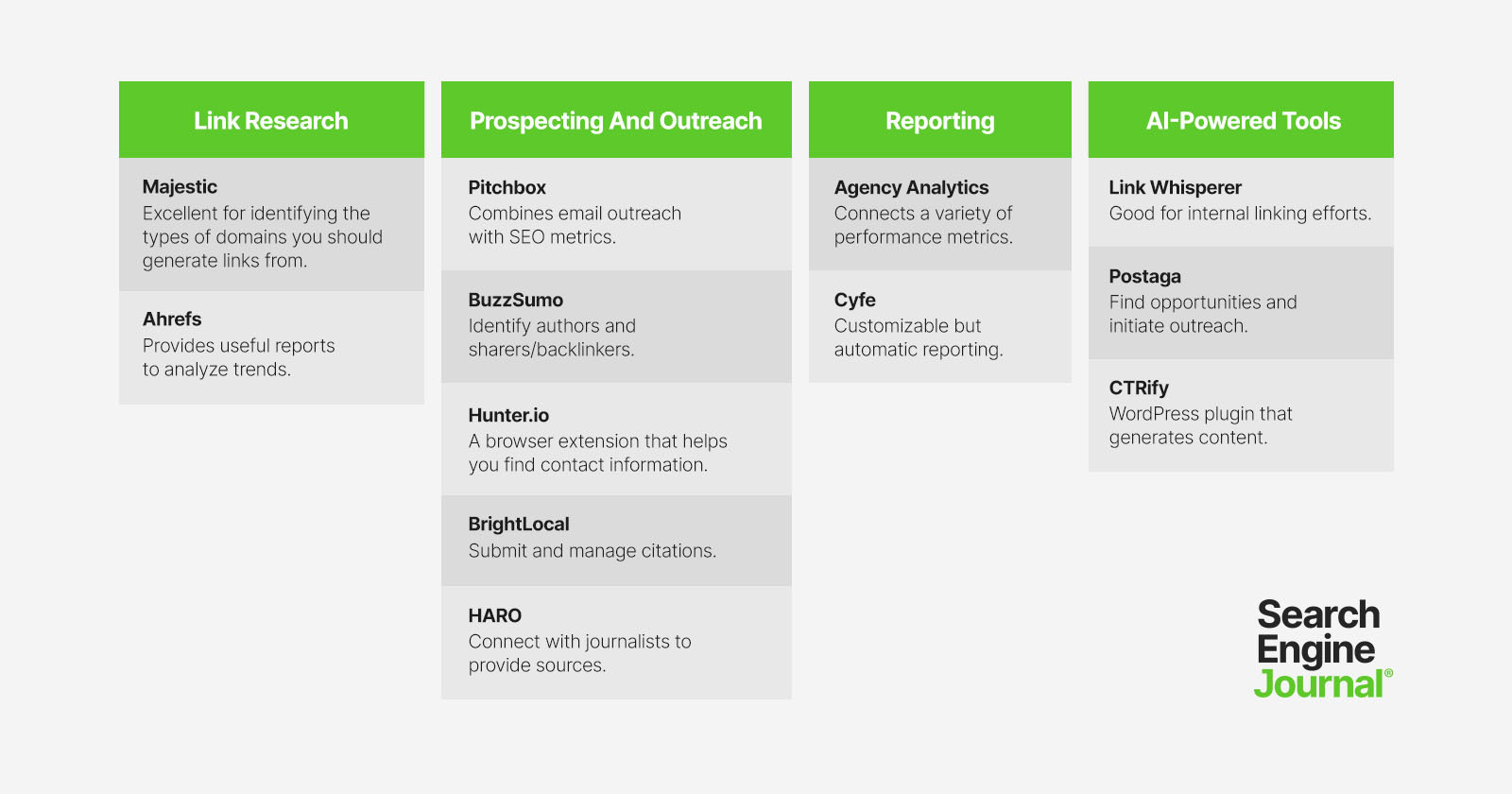
These can be divided into four categories:
- Link research.
- Prospecting and outreach.
- Reporting.
- AI-powered tools.
Emerging technologies powered by AI can make the link-building process easier.
Link Research Tools
Link research is vital to figuring out what type of sites you should be approaching. This includes establishing quality criteria, categories of sites, authority metrics, and others.
Majestic and Ahrefs are two research tools that provide large databases and robust reporting.
I’ve included both of these sites as I constantly see each having data that the other doesn’t.
You may find some links to your competitors’ sites in Majestic that aren’t listed in Ahrefs and vice versa.
These tools can be used together to build a comprehensive list of sites to analyze. As with many SEO tools, the pricing depends on how many features your team needs.
1. Majestic
- Pricing: $49.99 per month with one user for the ‘Lite’ package. $99.99 per month for the “Pro” package, which they recommend for SEO agencies and consultants.
- Payment options: Monthly or receive a discount for an annual subscription.
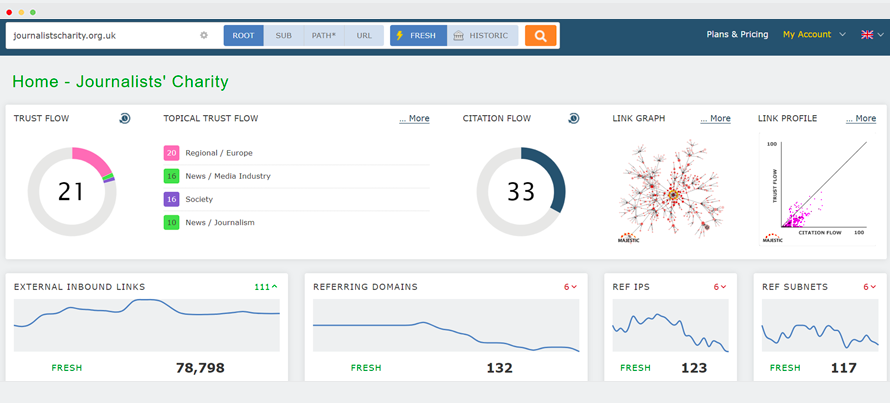
Here are some recommendations on using it and what reports should influence your link-building.
- Topics: This data can be used to identify the types of sites you should be generating links from. Consider running this report on the link profiles for top-ranking sites, then finding sites that fit into similar categories.
- Referring Domains: Use this to evaluate the number of unique domains you should focus on building for your site. This also offers a look into the trust/citation flow distribution (count of domains by trust/citation flow).
2. Ahrefs
- Pricing: $99 per month with only one user for the ‘Lite’ plan. $199 per month for the “Standard” plan.
- Payment options: Monthly or receive a discount for an annual subscription.
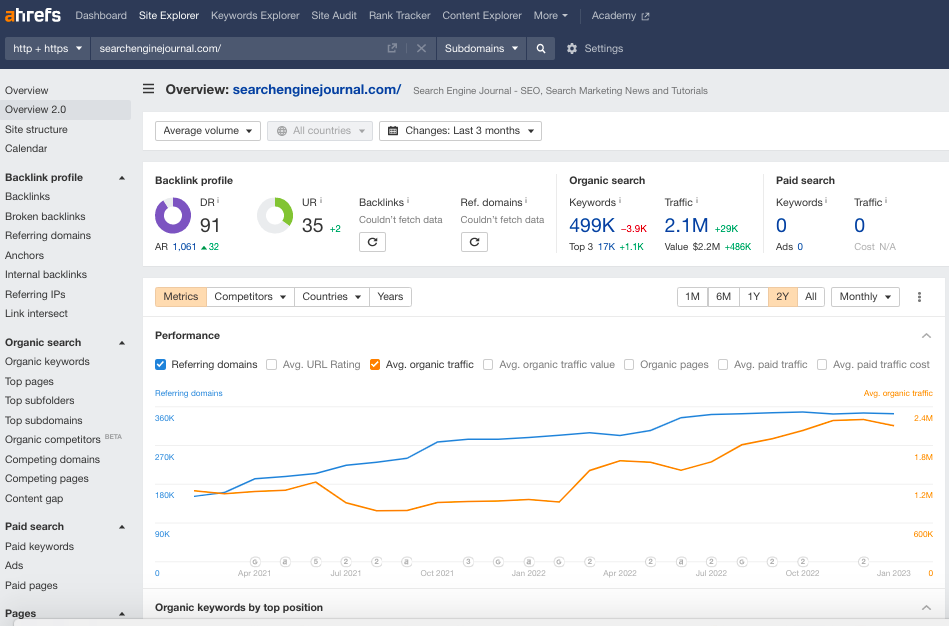
In contrast to Majestic, Ahrefs has some reports that are much easier to run inside the tool. It certainly costs more, but if you want more data, then Ahrefs is the right choice.
Here are reports to use in Ahrefs over Majestic:
- Pages > Best by links: Two useful applications of this report are:
- Identify competitors’ most linked content to influence your content strategies.
- Identify the type of sites that link to the content you will produce.
- Pages > Best by link growth: This is a “trend” report providing content that has been generating links over the last 30 days. Find content here that is receiving a rapid number of links and create more robust content.
Prospecting And Outreach Tools
Finding highly relevant sites that may link to your content is the most excruciating part of link building.
You can create a large list of sites and bulk outreach to save time, but when evaluating your link-building success on links gained per hour and the quality of those links, it’s best to handle prospecting manually or in a semi-automated approach.
I’ll go through five tools, Pitchbox, BuzzSumo, Hunter.io, BrightLocal, and HARO.
These tools can be used for the most popular link-building strategies.
3. Pitchbox
- Pricing: Averages $500+ per month.
- Payment options: Prices are dependent on an individual walkthrough with Pitchbox.
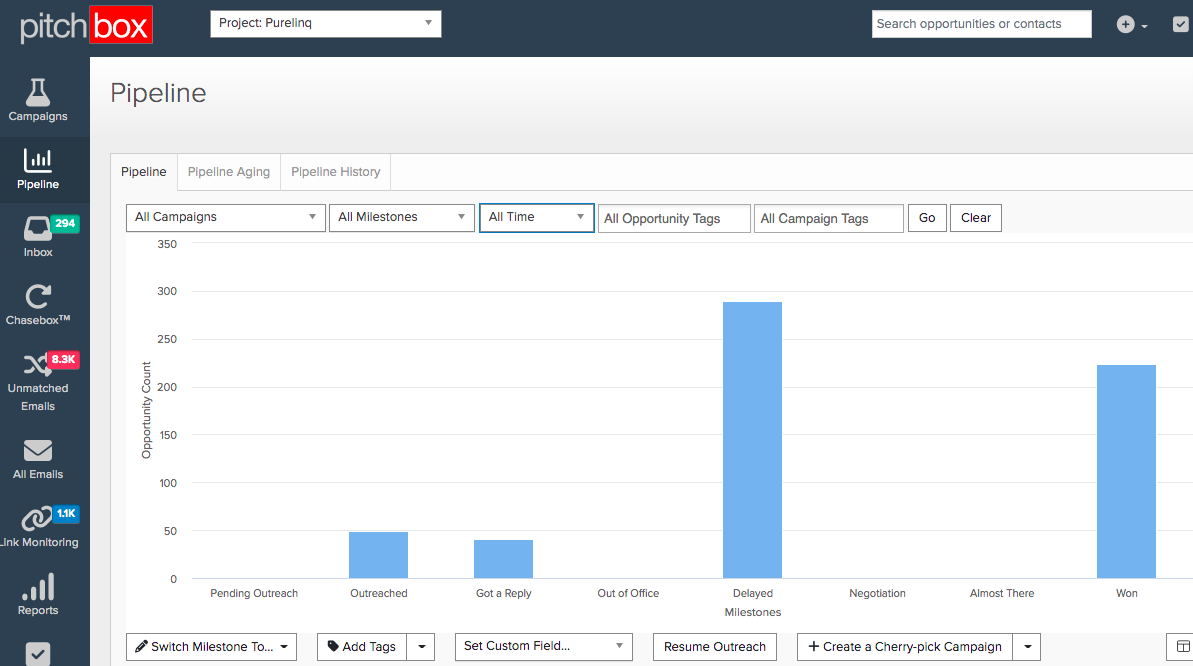
Pitchbox is one of the pricier tools on the market compared to email tools like MailChimp, but integrated prospecting helps reduce the time to qualify sites.
The prospecting sites list builder and SEO metrics integrated right into the opportunities report make the tool stand out.
4. BuzzSumo
- Pricing: $99 per month for the “Pro” package. $179 per month for the “Plus” package. There’s a pared-down free version with limited searches per month.
- Payment options: There is also a free version with limited features.
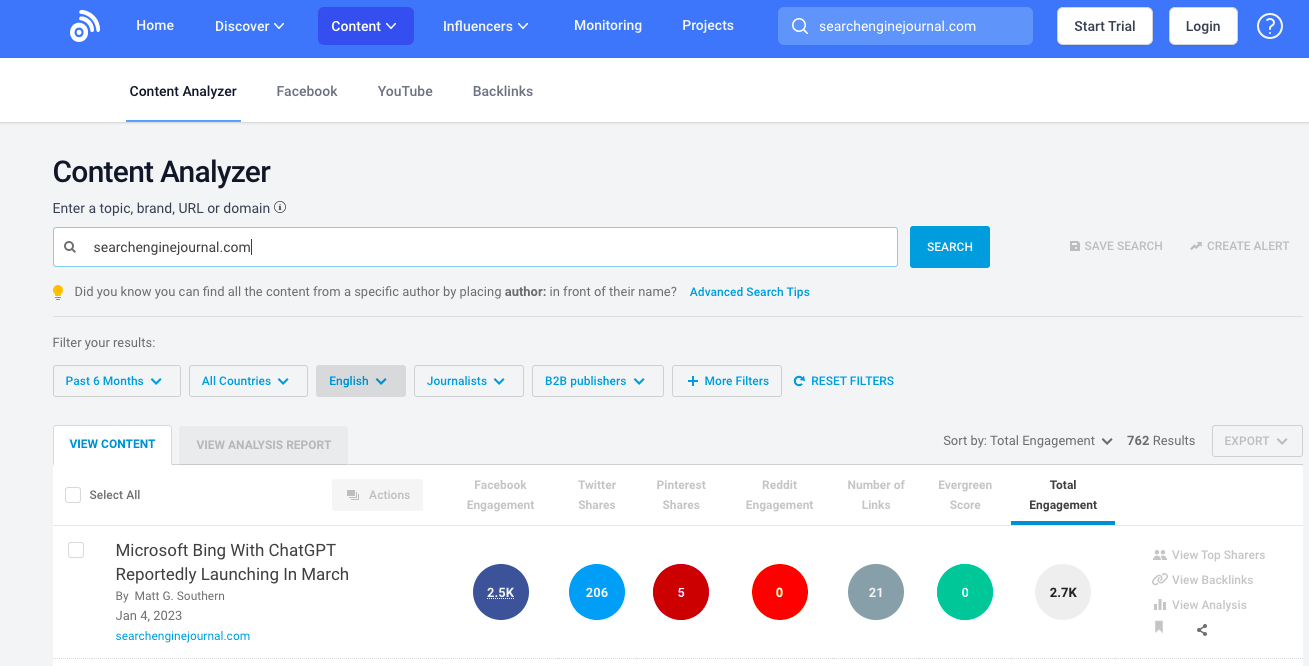
This is an excellent tool for building lists of blogs, influencers, and authors. Out of all the prospecting tools on the list, BuzzSumo has the best filtering options.
You can use the tool for a lot of purposes, but for link building, these are two effective use cases:
- Identifying authors: The content research and influencers sections provide lists of authors/influencers that are searchable by keywords in the content they shared or produced. One fantastic use for this is to search through the “most shared” report and find influencers that received more than 2,000 shares of their content, then outreach to them to share yours. This can yield a lot of natural links.
- Identifying sharers/backlinks: The second use goes a layer deeper than the first, finding those that have shared the content. Pull a list of shares or backlinking websites by content, then create similar but better content.
5. Hunter.io
- Pricing: Starts at free. The first two upgraded packages are $49 per month and $99 per month.
- Payment options: Free for 25 monthly searches up to $399 per month for 30,000 searches.
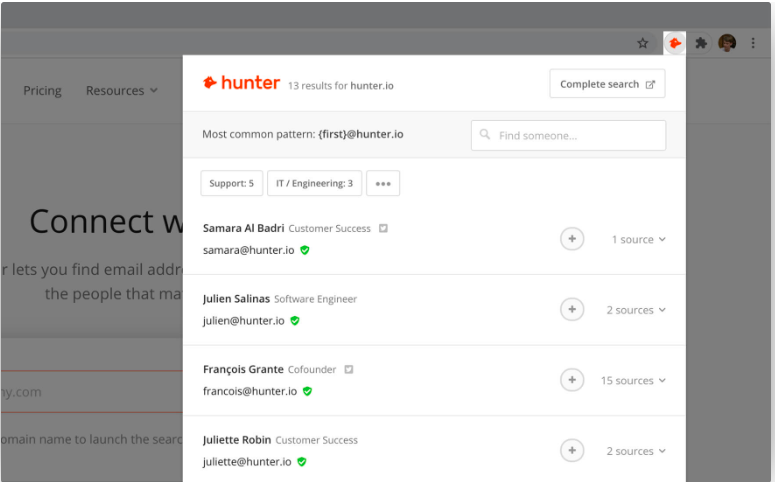
This browser extension finds email addresses for easy contact options.
It helps cut down on time spent sifting through About pages. You can also take it a step further and use the tool for outreach.
6. BrightLocal
- Pricing: $29-$79 per month, depending on package size.
- Payment options: You can also pay for the citation builder, reviews, or enterprise.
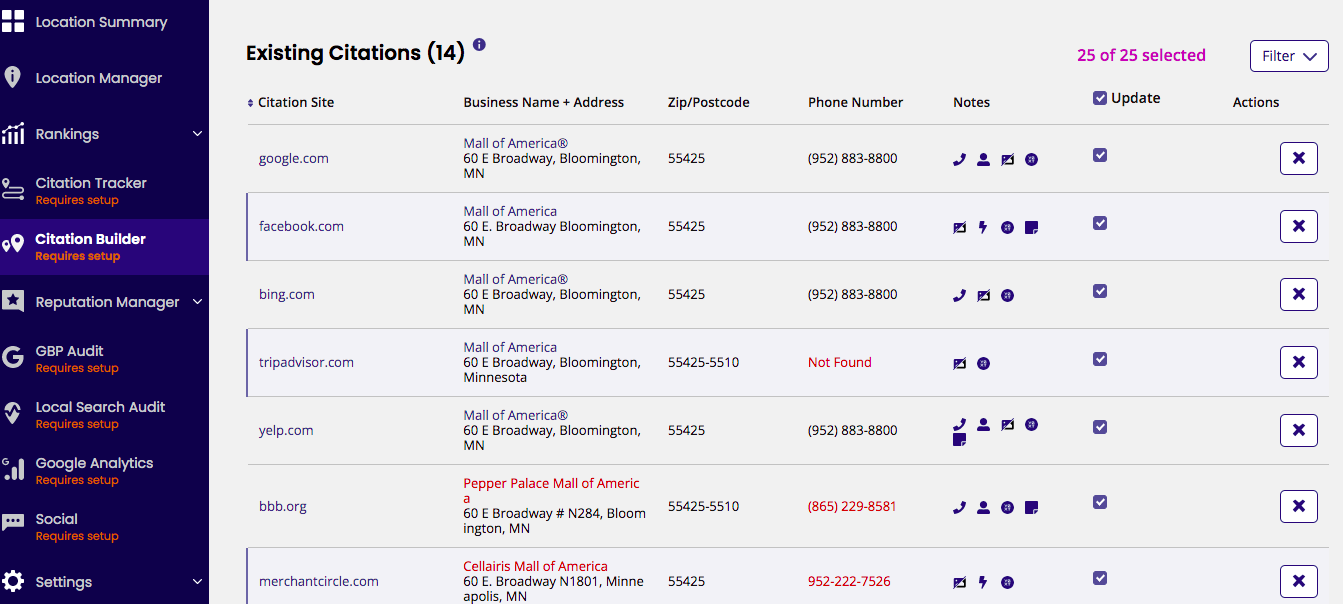
Citation building is important for local SEO and should be considered a link-building project.
One of the tools with the best value for submitting and managing citations is BrightLocal.
There are two components: citation monitoring and citation building. The tool also allows you to figure out how you’re ranking based on the local competition.
7. HARO
- Pricing: Starts at free. The first paid plan is $19 per month, which adds alerts and search functionality.
- Payment options: The free options offer media options delivered to your email three times a day and up to $149/month for premium.
While this tool is traditionally used in the journalism world, it can also help link builders. It connects you with credible sources and allows you to build natural backlinks.

Reporting Tools
Although many of the tools in the previous section have reporting functionality built in, I’ve found them lacking in custom reporting or the ability to associate links to ranking performance.
These tools solve that issue; AgencyAnalytics and Cyfe.
8. Agency Analytics
- Pricing: $12 per month, per campaign. $18 per month per campaign for custom reporting features.
- Payment options: Pay annually to save money.
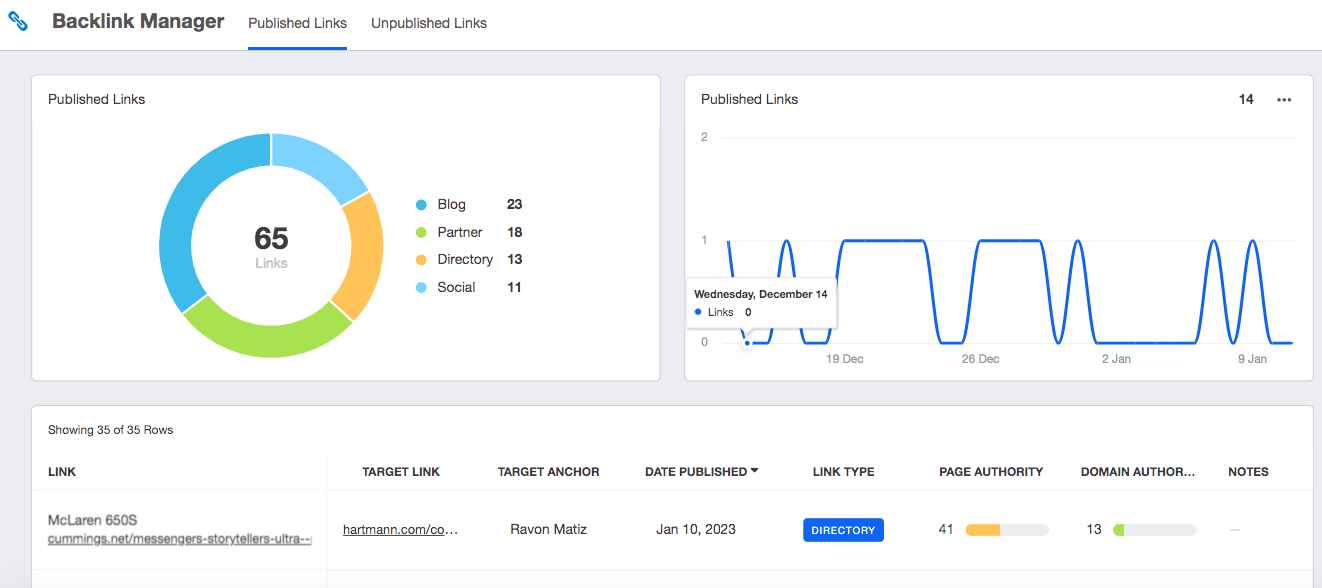
Agency Analytics automatically populates the dashboard with data from Moz and Majestic and connects that data to critical performance metrics, like ranking and organic traffic.
Qualified traffic that converts to leads or sales is the purpose of link-building and SEO efforts, so reporting needs to make a connection between them.
9. Cyfe
- Pricing: $19 per month for one user, with higher tiers for more users.
- Payment options: Unlimited users for $89/month.
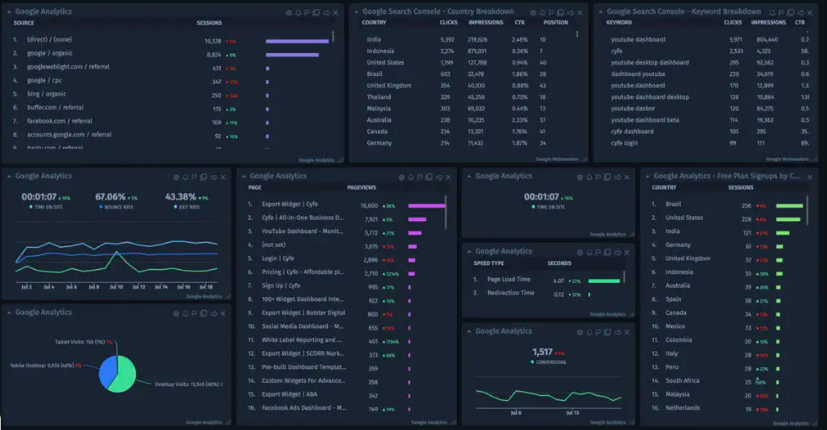
This tool can be built out as a hybrid between Google Sheets and Agency Analytics, meaning it’s very customizable but can also automatically and easily aggregate data from multiple sources to create a meaningful report.
AI-Powered Tools
AI-powered tools can significantly simplify otherwise complex and time-consuming tasks. Remember that some of your processes will require a human touch, so always evaluate how performance is impacted when integrating AI into your processes.
The following tools, Link Whisper, Postaga, and CTRify use AI to discover opportunities and automate processes.
10. Link Whisper
- Pricing: $77 per month for one site, with additional plans for more sites.
- Payment options: One to 50 site licenses.
Link Whisper is useful for internal link building.
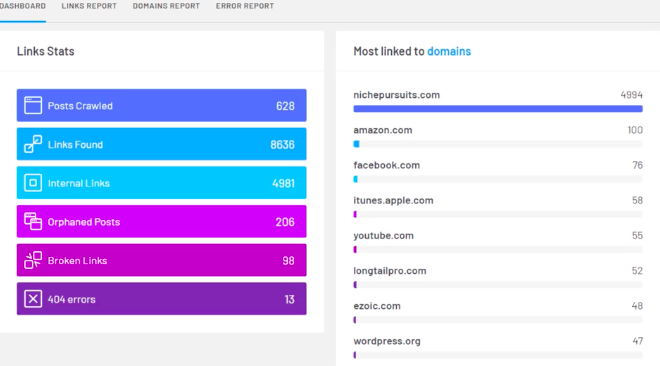
AI technologies offer automatic link suggestions as content is produced. It can also help you recognize old content that needs more links directed to it.
The tools also automate links based on keywords and offer internal link reporting. It’s pretty all-inclusive and can help speed up internal link-building automatically.
11. Postaga
- Pricing: $84 per month for one account with five users. $250 per month for 30 accounts with unlimited users.
- Payment options: Save by paying annually.
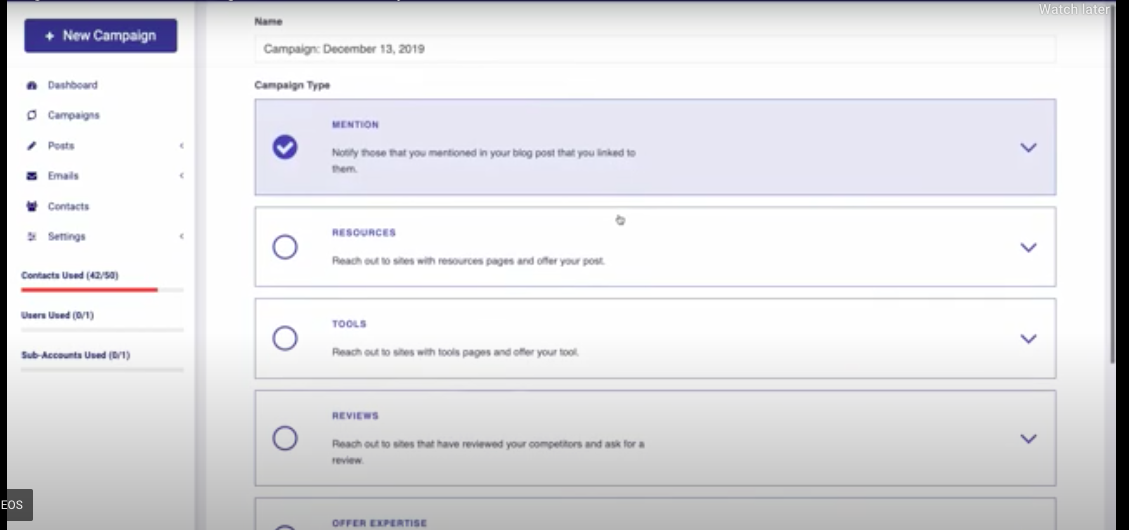
Postaga does everything from finding opportunities to initiating outreach.
AI comes into play with the outreach assistant, which finds relevant information from influencers to include in emails. You can also enter your domain into the tool to find relevant campaign ideas.
12. CTRify
- Pricing: A free version. $197 or $497, depending on the plan.
- Payment options: Single payment.
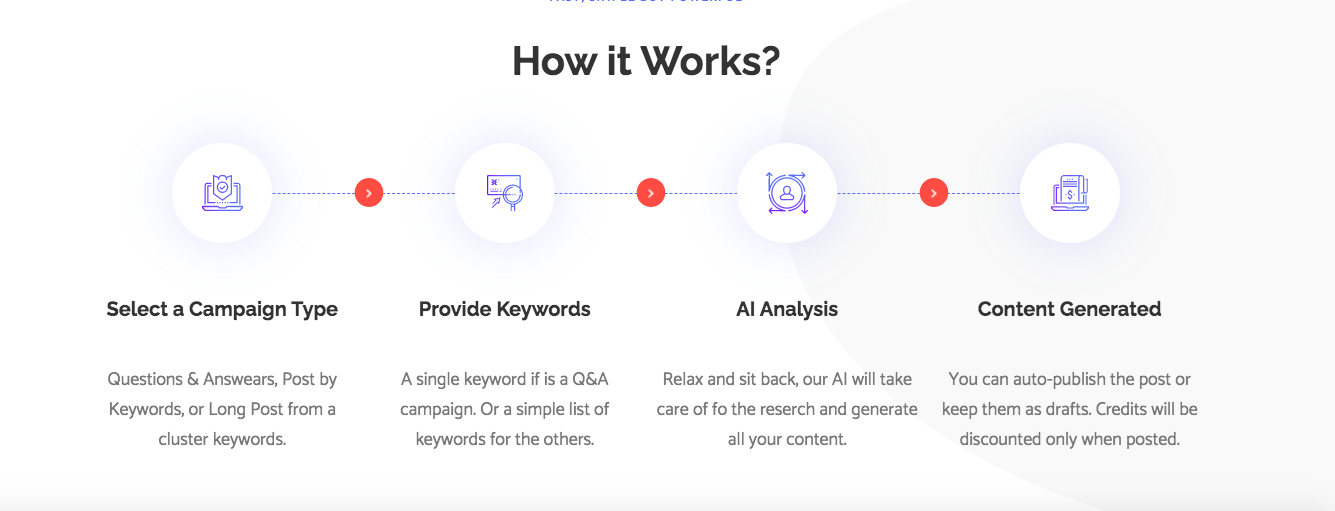
CTRify is a WordPress plugin that is great for content creation.
All it takes is a single keyword, and the AI creates the content you need for a specific campaign. You can then automatically publish the posts – it doesn’t get much simpler than that.
Conclusion
I’ve curated this list with the intent to offer a tool for every reader, providing enterprise-level affordable solutions and highly technical tools.
There is diversity in the available tools, and you will need to select the right one for the job.
You don’t need to have a $1,000 monthly tool budget to be a link builder, but all of the tasks will take time. Allocating your time and budget in the right combination improves business outcomes.
Featured Image: Paulo Bobita/Search Engine Journal
