
Google’s back button hijacking policy applies whenever the hijacking happens in a browser, including on visits from social media rather than Google Search, according to an FAQ Google added to its spam policies today.
Ad platform code is still allowed, the FAQ says, and Google acts only on pages that show the hijacking.
Google’s Search Central changelog says the FAQ answers common questions it has received about the policy. I covered the policy when Google announced it in April, with enforcement set to start June 15.
Where The Policy Applies
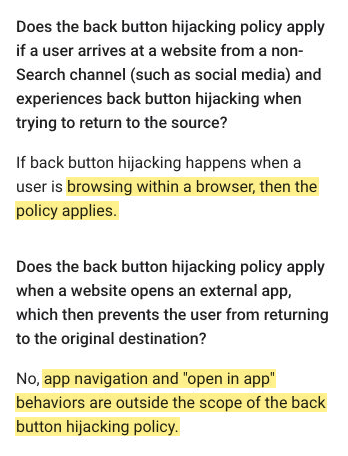
One FAQ question asks whether the back button hijacking policy covers people who arrive from a non-Search channel, such as social media, and then can’t get back to where they came from. Google wrote:
“If back button hijacking happens when a user is browsing within a browser, then the policy applies.”
A separate answer says “Discover is a part of Google Search and our spam policies apply to Discover as well.” That answer covers Google’s spam policies in general, not only this one.
For a website that opens an external app, which then keeps the user from getting back to the site, the FAQ says “app navigation and ‘open in app’ behaviors are outside the scope of the back button hijacking policy.”
Google’s FAQ shows how the policy applies to visits in a browser and where external app navigation falls outside its scope.
Ad Platform Code
Google’s April announcement said some back button hijacking “may originate from the site’s included libraries or advertising platform,” and asked sites to remove or turn off the code behind it.
The FAQ asks whether Google is preventing sites from importing code hosted by advertising platforms. Google wrote:
“No, site owners can continue to work with advertising platforms and import code that they host. We only take action on pages that exhibit back button hijacking behavior.”
Why This Matters
A back button test that starts from a Google results page doesn’t cover every visit the hijacking policy applies to. Test pages that carry ad code by arriving from a social media link and pressing back, and repeat it from Discover when one of your pages shows up there.
Google’s answer on ad code lets you keep your ad partners. The thing to remove is the code or setting on a page that interferes with the back button, wherever it comes from.
Looking Ahead
Google’s FAQ also says users can report back button hijacking through its spam report form. Those reports go toward improving Google’s spam detection systems, which gives people who hit hijacking on a social or Discover visit a way to flag a site.
Featured Image: Tetiana Yurchenko/Shutterstock
