

Software makes the SEO world go round. From analyzing your website data to performing research, effective SEO relies on a series of tools to assist humans in decision-making.
Paid subscription tools can be highly effective and usually come with support. But if you don’t have a large monthly budget, they might be out of the question.
The good news is that there are plenty of free tools. With a bit of time and know-how, you can create a free stack of software that helps you achieve your SEO goals.
What Are SEO Tools?
Think of SEO tools as your digital magnifying glass and toolkit for your website. They’re not just about providing numbers and graphs; they’re about offering insights and strategies to enhance your website’s visibility and performance.
These tools are the compass and map for navigating the vast world of search engine optimization, helping you pinpoint exactly where you stand and what steps you need to take to improve and boost visibility in search engine results pages (SERPs).
Each SEO tool has a unique function, just like how a hammer is distinct from a screwdriver in a traditional toolbox. They offer specialized assistance in various aspects of SEO:
- Analytics – Understand your website traffic and user behavior.
- Keyword Research – Discover what your audience is searching for.
- Links – Analyze your backlink profile and build quality links.
- Local SEO – Optimize your site for local search results.
- Mobile SEO – Ensure your site is optimized for mobile users.
- On-page SEO – Improve the content and structure of your website pages.
- Research – Dive deep into market trends and competitor strategies.
- Rank Checking – Monitor where your pages stand in search results.
- Site Speed – Enhance the loading speed of your pages.
- WordPress SEO – Optimize your WordPress site specifically for SEO.
SEO tools are incredibly useful, but you must understand how to use them to get the most out of them.
There are even a few toolsets that can help you in more than the areas we just mentioned, giving you more of an all-at-once glance at your SEO performance.
Do You Need SEO Tools?
The short answer is yes, you need SEO tools.
Imagine trying to build a table using only your hands.
You wouldn’t get very far, would you? No.
You will need tools – saws, a measuring tape, a drill, and screwdrivers, to name a few.
Similarly, while you can certainly create a website with basic knowledge and intuition, truly optimizing and understanding its performance requires the right tools.
Without them, you’re essentially playing a guessing game.
Without SEO tools, you’re missing out on:
- The volume of traffic reaching your site.
- Alerts on sudden drops in website visits.
- Identifying and fixing HTML errors.
- Tracking the quantity and quality of your backlinks.
- Discovering potential keywords to drive more traffic.
- And much, much more.
So, while it’s theoretically possible to manage a website without SEO tools, if you’re serious about maximizing its potential and reaching your audience effectively, leveraging these tools isn’t just recommended – it’s essential.
What Are The Best Free SEO Tools?
If you’re looking to get started with SEO or want to achieve better results for the low cost of $0, here are 110 of the best free SEO tools you should be using.
Free SEO Analytics Tools
1. Google Analytics 4
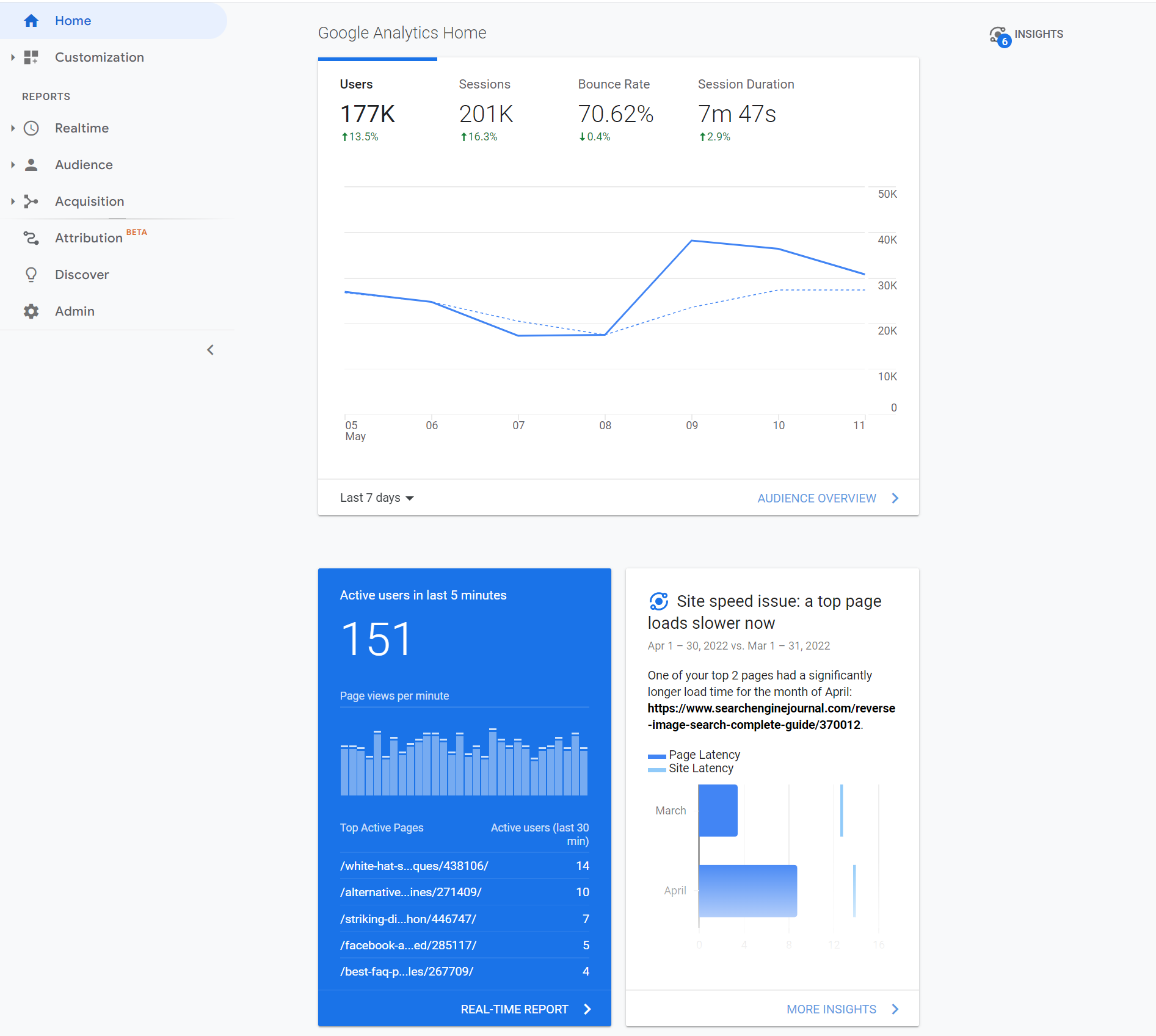
Currently used by 14.2 million websites, Google Analytics 4 is an invaluable resource that is virtually indispensable to any digital marketer serious about SEO.
It provides plenty of handy data about websites, such as the number of site visits, traffic sources, and location demographics.
With the detailed information from Google Analytics, digital marketers can tweak their content strategy and figure out what works and what doesn’t.
Google Analytics 4 is one of the best free SEO tools that every digital marketer should be using.
2. Looker Studio (Formerly Data Studio)
Google Looker Studio lets you merge data from varying sources, such as Google Search Console and Google Analytics, and create sharable visualizations.
If you’re just getting started with it, this beginner’s guide to Data Studio will be helpful.
More advanced users can learn how to use CASE statements for better Data Studio segments here.
3. Keyword Hero
Missing keyword data? Leave it to Keyword Hero, which uses advanced math and machine learning to fill in the blanks.
This service is free for up to 2,000 sessions per month. Keyword Hero also provides a 14-day free trial of any of its plans.
4. Mozcast
Mozcast tracks changes big and small to Google’s search algorithm.
With Google making hundreds of changes every year, keeping abreast of the latest developments helps you ensure you’re doing everything to have the best SERPs.
5. Panguin Tool
The Panguin Tool, provided by Barracuda Digital, lines up your search traffic with known changes to the Google search algorithm.
If you see a drop that lines up with an update, you’ve likely found the culprit and can work on fixing it!
6. Google Search Console Enhancer
A Chrome extension that beefs up your Google Search Console (GSC) with additional features and insights. Google Search Console Enhancer is like putting a turbocharger on your Console, providing you with more detailed data to fine-tune your SEO approach.
7. Better Regex In Search Console
This nifty Chrome extension amps up your Google Search Console experience.
If you’re into the nitty-gritty of SEO data, this tool helps you create more sophisticated search patterns to dive deeper into your website’s search query data.
8. Lost Impressions Index Check
This tool from TameTheBots helps you uncover potential SEO opportunities by identifying where you might be losing visibility in search results.
Free Crawling & Indexing Tools
9. Redirect Path

With over 300,000 users, the Redirect Path Chrome extension will flag 301, 302, 404, and 500 HTTP Status Codes.
Additionally, client-side redirects like meta and JavaScript redirects will also be flagged, ensuring any redirect issue can be uncovered immediately.
HTTP Headers, such as server types and caching headers, as well as the server IP address, can also be displayed with the click of a button.
Furthermore, all of these details can be copied to your clipboard for easy sharing or addition to a technical audit document.
10. Link Redirect Trace
Use this Chrome plugin to make sure all your link redirects are directing people and crawlers to where you want them to go.
11. Screaming Frog SEO Spider
Crawl your website for SEO errors.
Discover HTTP header errors, JavaScript rendering hiccups, excess HTML, crawl mistakes, duplicate content, and more with Screaming Frog SEO Spider.
12. Screaming Frog Log File Analyzer
Upload your log files to Screaming Frog’s Log File Analyzer to confirm search engine bots, check which URLs have been crawled, and study search bot data.
13. SEOlyzer
Another SEO log analysis tool that provides data in real-time and page categorization.
14. Xenu
One of the original free SEO tools, Xenu is a crawler that provides basic site audits, looks for broken links, and the other usual suspects.
15. Where Goes?
Track where redirection URLs and shortened links go with Where Goes?
16. Check My Links

Check My Links is a nifty Chrome Extension with over 10,000 users that crawls through your webpage and identifies the status code for each link on the page – including broken links.
Each status code is color-coded with 200 status codes returning dark green, 300 status codes returning light green, and 400 status codes returning red.
Once identified, you can copy all bad links to your clipboard with one click.
17. Robots.txt Generator
Create a correct robots.txt file instantly so search engines know how to crawl your website.
Advanced users can customize their files with Robots.txt Generator as well.
18. HEADMaster SEO
Checks URLs in bulk for status code, redirect status, response time, response headers, and HTTP header fields with HEADMaster SEO.
Get results in real-time, sort and study your findings, and export your work to CSV.
19. Keep-Alive Validation SEO Tool
Check URLs in bulk – or one by one – to see if their servers support persistent connection, which makes your website load faster.
Check what version of HTTP your server is on and whether there are any external connections on your URL with this tool.
20. Hreflang Tag Generator
Generate hreflang tags so that Google knows which language particular pages on your website are in.
This will allow Google to search those pages in that language.
21. XML Sitemaps
Create a site map of up to 500 pages for free without registration.
Download your sitemap as an XML file or get it via email.
22. SERP Checker
Determine the potential ranking difficulty of a keyword with Ahrefs’ free SERP Checker tool.
You can check the top 10 search ranking results from any location without using proxies or location-specific IP addresses.
23. SFAIK Screaming Frog Analyzer
A robust visualization of Screaming Frog crawl data using Google Data Studio.
24. SEOWL Google Title Rewrite Checker
This Google Title Rewrite Checker will allow you to check if Google is rewriting the title of a list of pages, allowing for deeper Title Tag structure analysis.
Free Keyword Research Tools
25. AnswerThePublic

AnswerThePublic is a nifty tool that provides content marketers with valuable data about the questions people ask online. It has over 2.7 million customers.
Once you input a keyword, it fetches popular queries based on that keyword and generates a cool graphic with the questions and phrases people use when they search for that keyword.
This data gives content creators insight into potential customers’ concerns and desires, and enables them to craft highly targeted content that addresses those needs.
AnswerThePublic also provides keyword suggestions using prepositions such as “versus,” “like,” and “with.”
It is an excellent research tool that can help you create better content that people will enjoy and be more likely to share.
26. Keyword Explorer
This keyword research tool will give you up to 1,000 keyword suggestions, a keyword difficulty score, a click-through rate date, and SERP analysis.
You get three free searches per day.
27. Keyword Planner
Google’s Keyword Planner is designed for ad campaigns, but you can use it for keyword research by seeing how keywords perform in ads.
28. Keyword Sheeter
Get keyword volume, cost per click, and competition data with this free keyword tool.
29. Keywords Everywhere

Keywords Everywhere is a must-use keyword research tool due to the massive list of sites that it provides free search volume, CPC, and competition data for:
- Google Search.
- Google Trends.
- eBay.
- AnswerThePublic.
- Google Keyword Planner.
- Bing.
- Etsy.
- Soovle.
- Google Search Console.
- YouTube.
- Ubersuggest.
- Majestic.
- Google Analytics 4.
- Amazon.
- Keyword Sheeter.
- Moz Open Site Explorer.
It’s available for Chrome and Firefox.
30. Ahrefs Keyword Difficulty
This tool lets you discover how difficult it will be to rank in the top 10 search results for any keyword.
Simply enter your term and choose your location, and Ahrefs will give you a score, with 0 being easy and 100 being extremely difficult.
31. Also Asked
Find out what questions people are asking about particular keywords so that you can write content that answers those questions with Also Asked.
Conduct searches by country and in different languages. You can claim three free searches to start.
32. Google Trends
With Google Trends, you can see the interest in a particular term from as recently as an hour to as far back as 2004.
Sort by categories, country, and type of search. See related topics, popularity by region, latest most frequently searched-for terms, and compare to other terms.
33. Glimpse – Google Trends Search Extension
This Chrome extension brings Google Trends right to your browser, offering instant insights into trending topics.
It’s a goldmine for SEO strategists looking to tap into current interests and emerging searches.
34. Keyword Surfer
This Chrome extension shows you the search volume in your Google search results. You can also see the word count and the number of keywords for top-ranking pages.
35. CanIRank
As the name implies, CanIRank helps you determine if you can rank on the first page of search engines for a particular keyword.
Unlike other tools that merely provide data about how competitive keywords are, CanIRank lets you know the probability that you’ll rank for a search term and uses AI to give you suggestions on how to better target keywords.
CanIRank provides great competitive analysis data and actionable steps to get your site ranking higher with better SEO.
36. Seed Keywords
Come up with a question or topic you want to research, send it to your contacts, and have them select the keywords they would search for to get the information you want with Seed Keywords.
37. Exploding Topics
Similar to Google Trends, Exploding Topics will help uncover topics that are about to become popularly searched before they become popularly searched!
38. Ubersuggest

Ubersuggest is a simple keyword research tool that scrapes data from Google’s Keyword Planner for keyword ideas based on a keyword you provide.
The tool, which boasts more than 50,000 users, also returns handy data for each keyword, including the search volume, CPC, and level of competition.
An excellent feature of Ubersuggest is its ability to filter out keywords you’re not interested in from search results.
The tool has recently added a feature where you can type in a competitor’s domain to get better keyword ideas.
39. Keys4Up
Get the related keywords, also known as semantically linked keywords, for any search with Keys4Up.
40. Wordtracker Scout
Wordtracker Scout will help discover what keywords people search for when they’re ready to make a purchase.
41. KWFinder
With KWFinder, you can discover long-tail keywords – those more specific, less frequently used keywords that yield higher results because of how specific they are.
42. Keywords People Use
Get into the minds of your audience by discovering the exact phrases and questions they use.
This tool helps you align your content with real user searches, making your site more visible and relevant.
Free Link Tools
43. Disavow Tool
Use Google’s Disavow Tool to free yourself from toxic backlinks.
44. Moz Link Explorer
See the backlink profile and domain authority of any URL with Link Explorer.
45. Link Miner
Discover if a given URL has any broken links and discover the metrics of those links, including both search and social data with the Link Miner extension.
46. Backlink Checker
Use this Backlink Checker to discover all the backlink data about a particular URL.
See the number of referring domains, the number of backlinks, the domain and URL rating, and its Ahrefs Rank, a domain’s position in Ahrefs’s list of most powerful sites.
47. The Anchor Text Suggestion Tool By Outreach Labs
Discover the best anchor text to use for any URL with this Anchor Text Suggestion Tool.
48. SendPulse
SendPulse allows for the configuration of chains of emails, notifications, and SMS messages based on user actions, variables, or events.
49. Scraper
This Chrome extension lets you scrape data from any URL and export the info into a spreadsheet.
50. Help A Reporter (HARO)
Help A Reporter is a resource that connects journalists and experts who act as sources for stories.
51. Streak
Convert your Gmail inbox into customer relationship management (CRM) software with this free extension.
Local SEO
52. Google Business Profile
Connect with customers across Google Search and Google Maps using a free Google Business Profile.
53. Whitespark Google Review Link Generator
Use this tool to find your Google Review listing and generate a shortened link to your page.
54. Local Search Results Checker
Conduct local searches using Google Search or Google Maps with Brightlocal’s Local Search Results Checker.
55. Moz Local Check Business Listing
Confirm that your company’s details appear correctly on various directories with Moz’s Local Business Checker.
56. Whitespark Local Citation Finder
Track your citations, discover new opportunities, and get the citations your competitors have with this Local Citation Finder.
57. Review Handout Generator
Print instructions on how to leave a Google review via desktop or mobile device for your business with Whitespark’s Review Handout Generator.
58. Fakespot Review Checker
This Chrome extension lets you know if the product you’re about to buy comes from a reputable seller and, if not, provides an alternative.
59. Mobile SERP Test
See your local SERPS on various mobile devices with Mobile SERP Test from Mobile Moxie.
Mobile SEO Tools
60. WebPageTest

Get visual insights for Core Web Vitals, including the primary image responsible for low LCP scores, scripts responsible for render-blocking, and .gif examples of cumulative layout shifts from the WebPageTest.
61. Merkle Mobile-First Index Checker
See how your website stacks up relative to SEO best practices, depending on whether it’s your desktop or mobile version, with Mobile-First Index Checker.
62. Google Page Speed Insights
Test your website’s mobile-friendliness with Google’s Page Speed Insights tool.
63. GTMetrix
See how quickly your website loads with GTMetrix.
Discover what’s keeping it from loading as fast as possible, and see what steps to take to optimize load speed.
64. Cloudflare
A free content delivery network (CDN) is a network of servers that speeds up content loading by using the server closest to the person doing the loading.
65. Reddico SERP Speed Test
Reddico’s SERP Speed Test tool allows you to compare your page speed at keyword level with the rest of the pages ranking on page 1.
The best part? Most countries are supported – simply choose your local from the drop-down.
Free Multi-Tools
66. Semrush Free Account

Semrush is an excellent keyword research SEO tool that, among other things, makes it easy to find out what keywords any page on the web is ranking for. It currently has 10 million users.
It provides detailed information about those keywords, including their position in SERPs, the URLs to which they drive traffic, and the traffic trends over the past 12 months.
With this feature-packed tool, you can easily find out what keywords your competitors are ranking for and craft great content around those terms and phrases.
Semrush also offers more features and unlimited access with various paid plans.
While they’re not cheap, you can get started with a 14-day free trial to test the premium features. Or follow the company’s guide on how to use features with a free account.
67. Chrome DevTools
Edit pages in real-time using tools that are built into Google Chrome DevTools.
Diagnose problems as you encounter them.
68. Marketing Miner
Get SERP data, ranking, tool reports, and competitive analysis all in the form of convenient reports with Marketing Miner, which has over 40,000 users.
69. MozBar

MozBar is a free SEO toolbar that works with the Chrome browser. It calls itself the industry’s leading SEO toolbar, with over 1 million installs. It provides easy access to advanced metrics on webpages and SERPs.
With MozBar and a free Moz account, you can easily access the Page and Domain Authority scores of any page or site.
The Page Analysis feature lets you explore elements on any page (e.g., markup, page title, general attributes, link metrics).
You can find keywords on the page you’re viewing, highlight and differentiate links, and compare the link metrics of different sites in SERPs.
If you need to do detailed SEO research on the go, MozBar is one of the best options.
You can unlock even more advanced features, such as Page Optimization and Keyword Difficulty, with a MozPro subscription.
70. SEO Minion
Conduct on-page SEO analysis, check for broken links, get a SERP preview, and more with this Chrome extension.
71. SEOquake
See SEO metrics and conduct an SEO audit with this Chrome extension.
72. Sheets For Marketers
Learn how to automate tasks in Google Sheets and discover the best automation templates and tools via this curated list.
73. Sheet Consolidator
Create workbooks using CSV exports with a table of contents and enabled hyperlinks using this simple Excel Sheet Consolidator tool.
74. Google Search Console
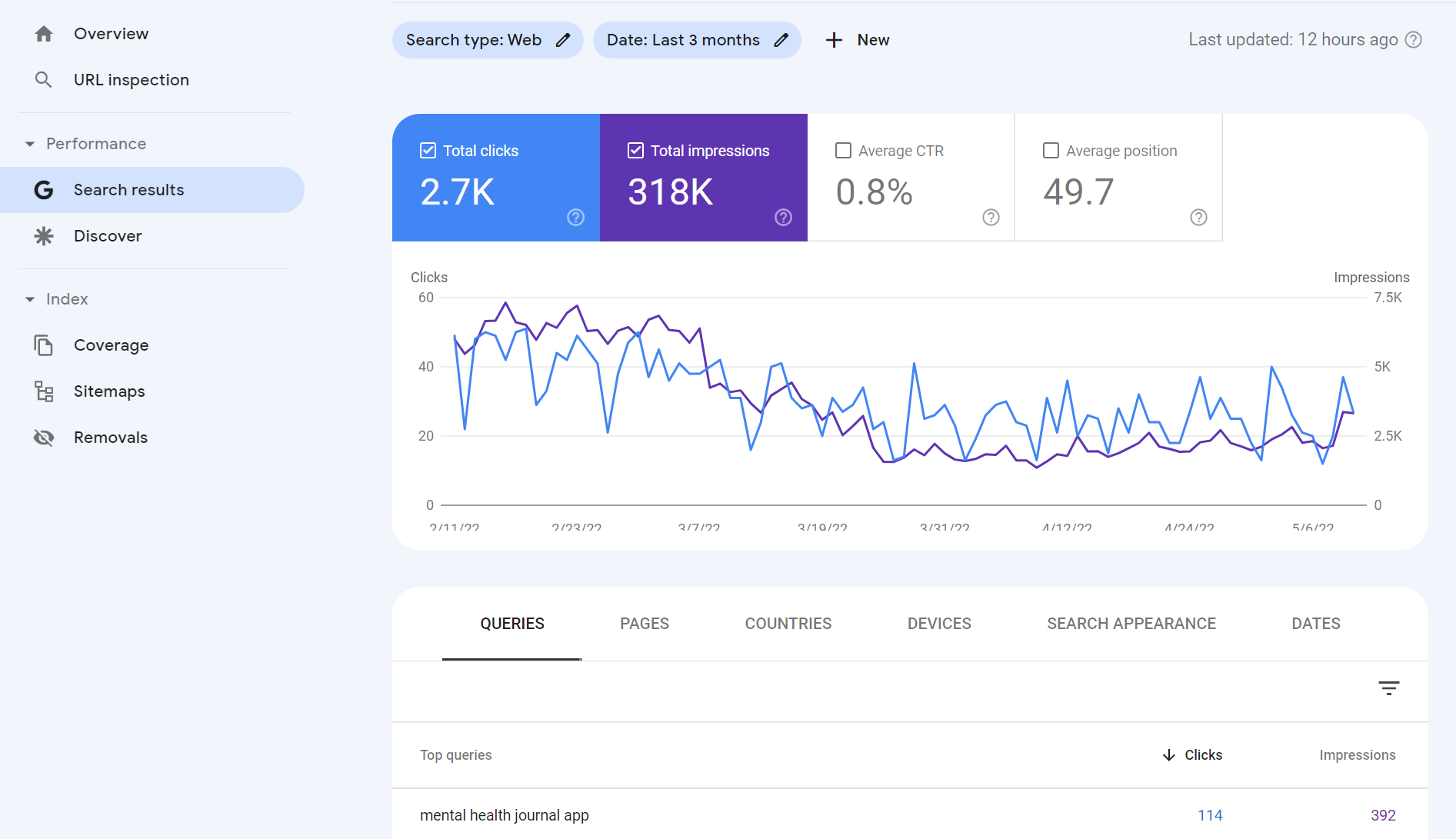
This list wouldn’t be complete without a mention of Google Search Console.
Aside from the fact that the data comes from Google, Google Search Console is rich with insights related to:
- Keyword and URL performance.
- Indexation issues.
- Mobile usability.
- Sitemap status.
- And much more!
75. Small SEO Tools
A suite of tools to make it easier to create content, including a plagiarism checker, article rewriter, grammar check, word counter, spell checker, paraphrasing tool, and more.
76. Internet Marketing Ninjas
From social tools and schema generator tools to webmaster tools and web design tools, check out the free suite of tools from Internet Marketing Ninjas.
77. Ahref’s SEO Toolbar
Get SEO metrics and SERP details from Ahrefs free Chrome or Firefox extension.
78. Bing Webmaster Tools
Featuring keyword reports, keyword research, crawling dates, and more.
Unlike Google Analytics, Bing Webmaster Tools only focuses on organic search. It’s a must-have for anyone who wants to be ranked on Bing.
79. Woorank
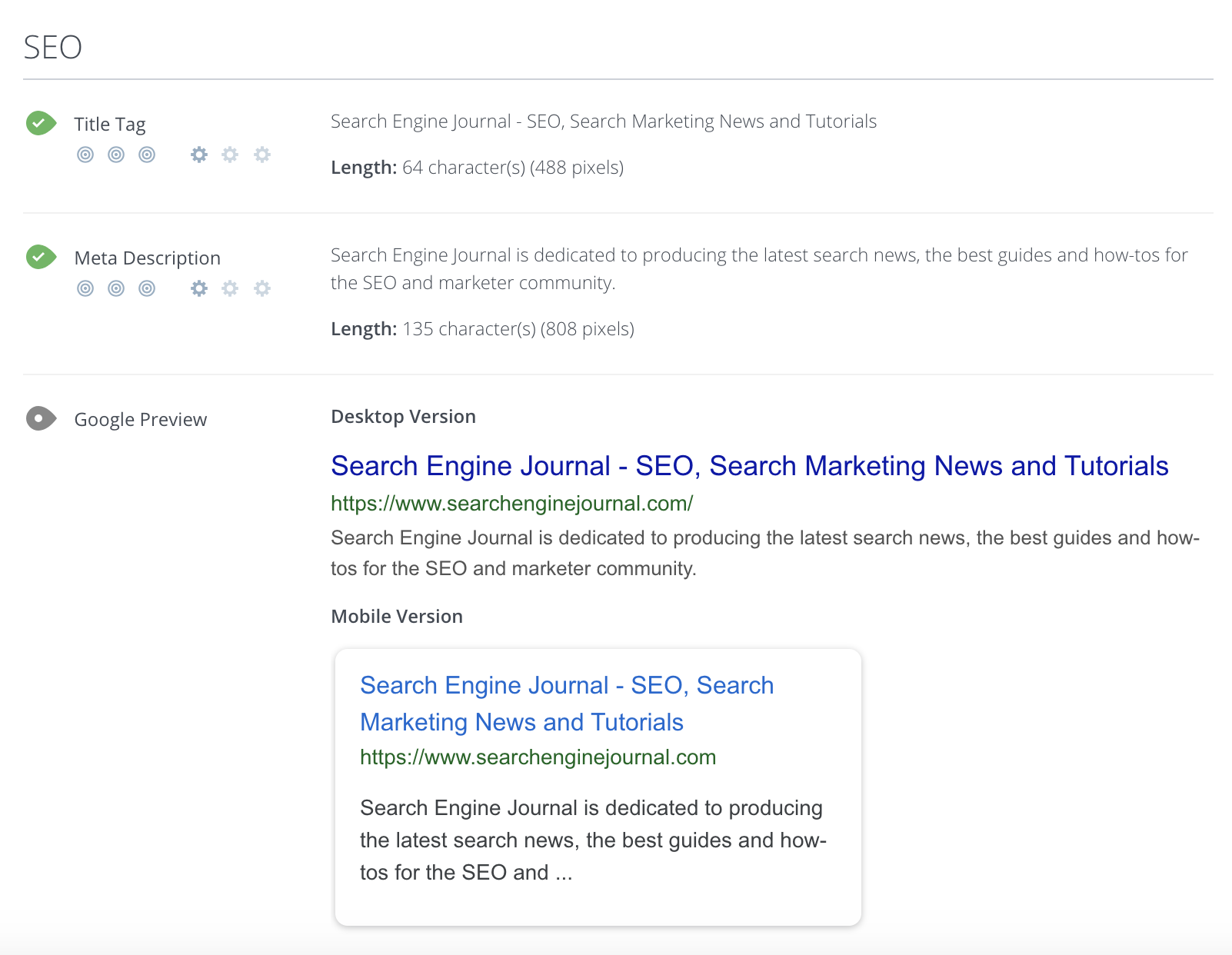
Woorank is a handy website analyzer that provides useful insights that can help you improve your site’s SEO.
It generates an SEO score for your site and an actionable “Marketing Checklist,” which outlines steps you can take to fix any problems with your site’s SEO.
Another cool feature of this free tool is the social shareability pane. This section provides social network data such as the number of likes, shares, comments, backlinks, and bookmarks across popular social networks.
Woorank also has a great mobile section where you can find information on how your pages render on mobile devices and how quickly they load.
80. SEObility
Find a suite of SEO tools that includes a site auditor, a SERP tracker, a backlink tracker, and more with SEObility.
81. Dareboost
This tool will provide you with an audit of your technical SEO, content, and website’s popularity.
You can also find out which keywords you should add to your pages.
82. Siteliner
Discover duplicate content, broken links, and page authority, and get both an XML sitemap and a detailed report of key site information with Siteliner.
83. InLinks
InLinks is about enhancing your content’s SEO by understanding and optimizing for the context of your topics, not just keywords.
It’s like having an SEO coach who helps you make your content more relevant and engaging through internal linking recommendations, AI content generation, content brief automation, and more.
On-Page SEO
84. Named Entities Indexing Checker
Part of InLinks, this indexing checker tool checks how well search engines understand the named entities (people, places, things) in your content.
Ensuring your content’s context is spot-on for better SEO performance is crucial.
85. JSON Crack
While more technical, this online JSON tool can help SEO professionals work with JSON, a common data format, making it easier to analyze and utilize structured data for SEO purposes.
86. Counting Characters Google SERP Tool
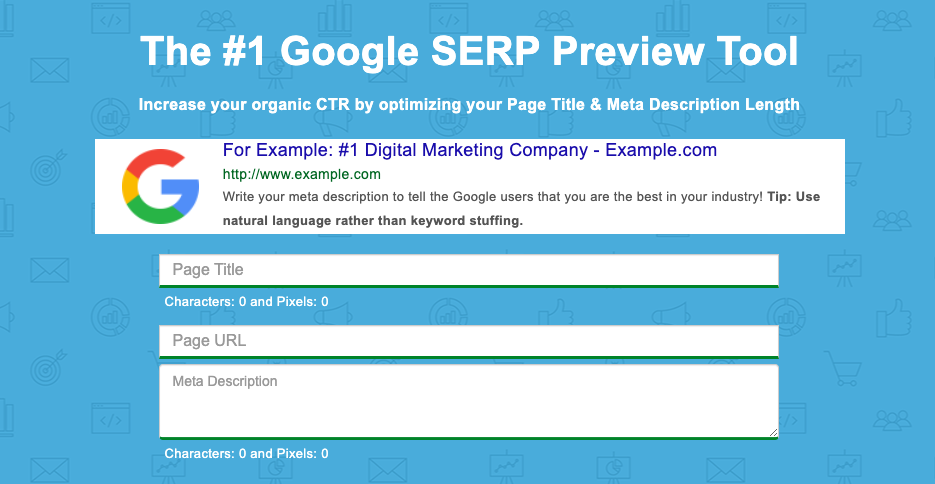
While counting characters has been a long-standing approach to evaluating meta description and title tag length, the reality is Google doesn’t count the meta title and description in the number of characters. It uses pixels instead.
The Counting Characters tool will provide both the character count and the pixel count to ensure you are creating meta tags that are not cut off by an ellipsis – represented by (…).
87. Natural Language API Demo
Use machine learning to determine the sentiment of text with the Natural Language API Demo.
New customers get $300 in free credits to spend on Natural Language. Use this data to improve your product or site design.
88. Rich Results Test
The Rich Results Test will discover if your website can support rich results, which is when your Google result includes non-textual elements like images.
89. Structured Markup Validator
Google’s structured data tool no longer exists. The Schema Markup Validator is the recommended alternative.
90. Ryte Structured Data Helper
The Ryte Structured Data Helper will provide you with a handy overview, showing you how to quickly and clearly validate your page’s Schema markup.
91. Google Tag Manager
Google Tag Manager allows you to manage your website tags without editing any code!
92. View Rendered Source
See how your browser renders a page with this Chrome extension, including modifications made by JavaScript.
Differences between raw and rendered versions are shown line-by-line.
93. Higher Visibility Google SERP Snippet Optimization Tool
Find out what your SERP snippet will look like with Higher Visibility’s Google SERP Snippet Optimization Tool.
94. Merkle’s Schema Markup Generator
Merkle’s Schema Markup Generator tool will help create JSON-LD markups for articles, breadcrumbs, events, FAQ pages, and how-to guides.
95. Animalz Revive
Find out which of your pages needs an update or an upgrade with Animalz Revive.
You can see the traffic for your pages, including the percentage of traffic your page lost since its peak.
96. Copyscape Free Comparison Tool
Copyscape’s Comparison Tool will help you check the percentage of shared text between two different pages to weed out plagiarism.
97. Internal Linking Tool
An internal linking tool to help you weave a web of internal links on your website, boosting your SEO by making your site more navigable and interconnected. Think of it as laying down a network of roads within your website, guiding visitors and search engines alike.
SEO Research Tools
98. Hunter
Hunter will help find all the important email addresses associated with a given domain.
99. SimilarWeb
Conduct competitor analysis with SimilarWeb that shows you a given domain’s traffic, top pages, engagement, marketing channels, and more.
100. Wappalyzer
Wappalyzer will help you determine if a given website is using a CMS, CRM, ecommerce platform, advertising networks, marketing tools, or analytics.
101. Wayback Machine
See a website throughout time, including pages that are no longer on the web with the Wayback Machine.
Bonus* check out the Compare tool to visualize how a page has changed based on specific timestamps.

102. SEO Explorer
SEO Explorer is a free tool for keyword and link research.
103. RedditInsights.ai
This is a cool tool for peering into the vast world of Reddit to uncover trends and topics.
Understanding what’s buzzing on Reddit can guide content creation, helping you tap into what your audience is interested in to inform your keyword and content strategy.
104. Thruuu Page Comparison Tool
Dive into side-by-side SEO comparisons of different web pages with the Thruuu Page Comparison Tool.
You can use this to help you understand how to optimize your own content.
Free Rank Checking Tools
105. Ahref’s SERP Checker
See the domains that place in the top 10 for any given keyword in 243 countries, and get robust analytics from Ahref’s SERP Checker.
106. SERPROBOT
Find a dedicated SERP tracking tool with the appropriately named SERPROBOT.
Set up automatic alerts, choose the frequency with which your SERP is checked, and get visual representations of changes.
107. Bulk Google Rank Checker
See your website’s SERPs for various keywords en mass with the Bulk Google Rank Checker.
Free Site Speed Tools
108. Lighthouse
This is Google’s open-source site speed utility. Lighthouse provides audits of performance, accessibility, web apps, SEO, and more.
109. WebpageTest
WebpageTest conducts site speed tests from different locations using different browsers.
110. Web Vitals
This GitHub extension measures Core Web Vitals, providing instant feedback on loading, interactivity, and layout shift metrics.
Here is an additional list of plugins to improve site speed.
WordPress SEO Tools
WordPress is a robust SEO-friendly CMS platform with numerous plugin options available to improve SEO.
While this post isn’t a WordPress-specific list of plugins, it is worth mentioning a handful of key plugins worth considering.
111. RankMath
A newer SEO suite for WordPress, RankMath has 15 modules and provides SEO guidance using 30 different types of improvements.
112. Yoast SEO
Yoast SEO is the most installed SEO suite for WordPress, with 13+ million users. It provides regular updates and new tools.
113. Ahrefs WordPress SEO Plugin
The Ahrefs WordPress SEO plugin will provide you with content audits, backlink checking, and tools to monitor and grow your organic traffic.
Here are additional lists of Google Analytics plugins and plugins to improve site speed.
Free AI SEO Tools
Last but not least, we cannot ignore AI.
For better or worse, artificial intelligence has completely shaken up the digital world. While it should never replace your current SEO activities, it can certainly enhance them.
Here are some free AI SEO tools; we’ll also explain how to use them.
114. OpenAI Chat (ChatGPT)

Perhaps the most famous AI tool out there – with over 200 million weekly users – ChatGPT can be a great help in your SEO efforts.
You can ask for advice, generate content ideas, and even get help with keyword research. It’s like having an SEO buddy you can brainstorm with anytime.
While the Premium ChatGPT, i.e., ChatGPT 4, is paid, ChatGPT 3.5 is free of charge.
115. AIRPM for ChatGPT
Think of AIPRM as your personal assistant to supercharge ChatGPT’s capabilities.
It helps you craft prompts that get straight to the point, whether you’re looking for keyword suggestions, content ideas, or SEO strategies, making your interactions with ChatGPT even more fruitful.
116. SEO.AI
This innovative tool leverages AI to analyze your content’s alignment with SEO best practices and offers suggestions for improvement.
It can provide insights into keyword optimization, readability, and other on-page SEO factors, helping you refine your content to better match search engine algorithms and user expectations.
You can get 10 content audits free!
Time to Take Your SEO Efforts To New Heights
In today’s digital landscape, standing out is not just about having a great website; it’s about making sure it’s seen.
With well over 100 free SEO tools at your disposal, the power to elevate your online presence is literally at your fingertips.
We’ll leave you with some parting tips to help you while using these free SEO tools:
- Start with a goal – Have a clear objective before diving into the sea of tools. Are you looking to increase traffic, enhance user engagement, or improve your search engine rankings? Knowing your goal will help you select the right tools and focus your efforts effectively.
- Experiment and explore – Don’t hesitate to try different tools to see which ones resonate with your workflow and provide the most valuable insights. What works for one site might not work for another, so exploration is key.
- Integrate SEO into your routine – Make SEO a regular part of your content creation and website maintenance routine. It’s not a one-off task but a continuous effort that pays dividends over time.
- Stay updated – The world of SEO is dynamic, with search engines constantly updating their algorithms. Keep abreast of the latest trends and adjust your strategies accordingly to maintain and enhance your site’s visibility.
- Use data wisely – Leverage the data and insights from these tools to make informed decisions. But remember, data is most powerful when combined with creativity and a deep understanding of your audience.
- Patience is key – SEO results don’t happen overnight. Be patient, keep refining your strategies, and the results will come.
So, whether you’re a seasoned SEO strategist or just starting, the wealth of free tools available means there’s no excuse not to optimize your site.
Dive in, explore, and watch as your website climbs the ranks, attracting more visitors and turning clicks into customers.
More Resources:
- 10 Awesome Paid SEO Tools That Are Worth The Money
- 10 Tools You Can Use For SEO Competitive Analysis
- A Guide To Essential SEO Tools For Agencies
Featured Image: EtiAmmos/Shutterstock
