Tools

3 Tools to Compare Google and Bing Search Results

Ever since the launch of new Microsoft’s search engine Bing, people have been actively comparing it to Google (to have some fun just try this example: try searching for [linux] on both of them – classic!)

So (just as you might have expected) I am offering you some tools that will make comparing the two search engines easier and more fun:

1. Google / Bing Comparison searches both Bing and Google or either of them.

The best thing about the tool is that it enables you to click through international versions of both search engines and compare regional results.

Sample search: SEO (yes, I know the direct link works in a weird way)
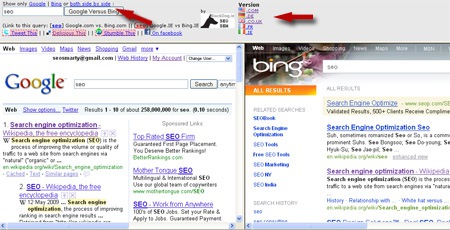
Google / Bing comparison

2. Bingle – Bing + Google (as you might have guessed). It allows to see both search engines results side by side and also switch to either of them with one click.

Sample search: SEO
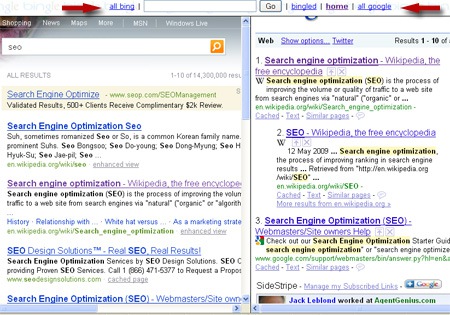
Bingle

3. Bing and Google is the simplest of three. All it does is comparing the two search engines side by side.

Sample search: SEO
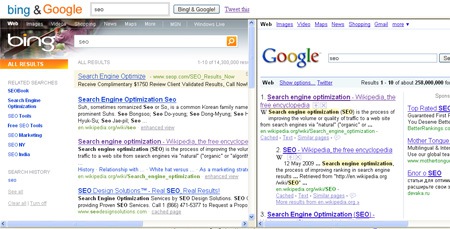
Bing and Google

Update: one more recently launched great tool to combine Google, Twitter, Bing, Yahoo and EBay results: Search3

Ann Smarty
Ann Smarty is the blogger and community manager at Internet Marketing Ninjas. She is specializing in SEO consulting and guest blogging. Ann's expertise in blogging and tools serve as a base for her writing, tutorials and her guest blogging project, MyBlogGuest.com.
Ann Smarty

@seosmarty

(Guest) Blogging addict and excited owner of http://MyBlogGuest.com (the free community of guest bloggers!) + If all you care is SEO, follow me as @annsmarty
via @GrowMap Office Phone Systems: What Functions Do You Need? http://t.co/oMYUYhyl8U - 1 day ago
Ann Smarty
Ann Smarty

Speak your mind!

  1. Of course, you could also do the comparison at Zuula (http://www.zuula.com), where you also can compare results from Yahoo, Gigablast, and Exalead … among others. The comparison won’t be head-to-head, but you’ll get a uniform look-and-feel. Plus, when you’re done, you can just move the tab with the engine you like the most into the first slot, and it will be your default results provider at Zuula from then on.

  2. Thanks for sharing, these tools give us a great options for searching 2-3 engines in one box. I have tried blindsearch but need to try your suggested soon

  3. Bing Image Search Result appears better than Google Image Search Results. So does Bing Video Result, it offers run video while you mouse over on the video that appears more useful.

Leave a Reply

Your email address will not be published. Required fields are marked *

You may use these HTML tags and attributes: <a href="" title=""> <abbr title=""> <acronym title=""> <b> <blockquote cite=""> <cite> <code> <del datetime=""> <em> <i> <q cite=""> <strike> <strong>