Search Engine Tools and Downloads

7 Ways to Customize Your Google Search Results Page

Ann Smarty

09/3/09

23 Comments

For some Google’s simplistic interface is its best advantage. Others may think it is too boring. This post looks at some ways to beatify Google search as well as give it more visualizing and entertaining features:

1. Google Preview

GooglePreview is a FireFox addon that adds a thumbnail of each page within Google SERPs:
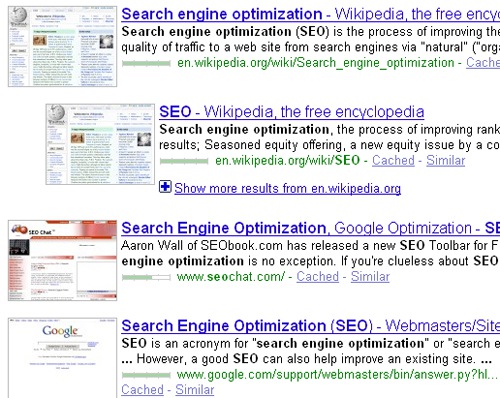
Google Preview

Similar addon: Better Search

2. Google Icons 

Google Icon add the favicon next to each search result (if available) in Google SERPs.

Icons make it easier to recognize your favorite websites and breathe more life into that dull search page.
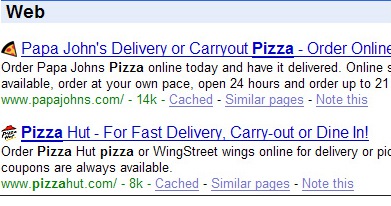
Google icon

Similar addon: Faviconiac

3. GoogleBlack

This extension makes Google search results page black and I’d say a bit gloomy:
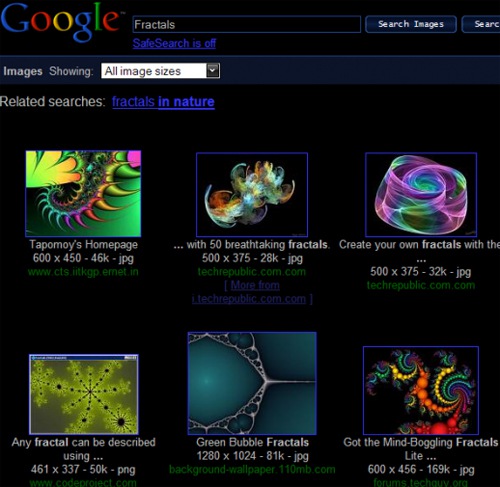
Google black

Similar Greasemonkey script: Google enhanced BLACK

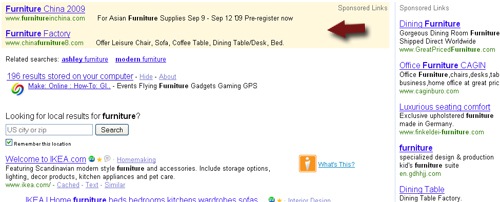
4. Push Google Search Ads Right

This script pushes Google ads from above organic search results to the right:

Before:
Google ads right

After:

Google ads right

Related script: Remove Google Sponsored Links

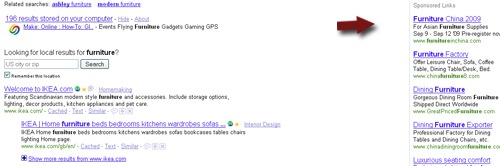
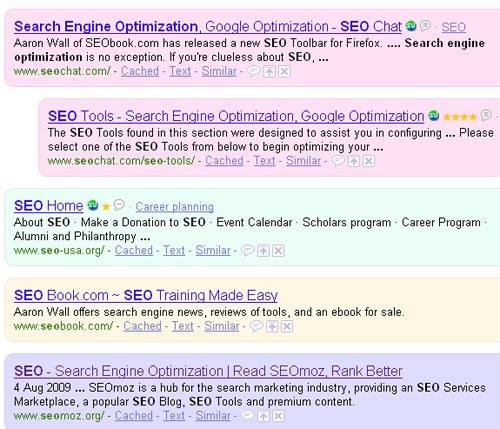
5. Colorful Google Search

This script adds some fun to Google SERPs: random light background colors of search results.
Clorful Google search

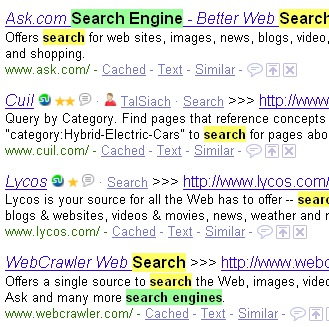
6. Google Keyword Highlight

This userscript highlights search keywords in the result of Google search.
Google keyword highlighter

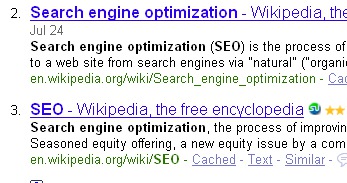
7. Google Numbered Results

Google Search Results – Numbered – adds numbers to Google results
Numbered Google search results

23 Comments

  • I love Google Preview’s thumbnails. Very cool!
    I did find however, that when it’s installed, it default adds “popularity” bars for every result, annoying to me, just like the SEO for Firefox icons for Google and such, but that’s just my opinion.

    Numbered search results is helpful but I’d prefer to see it incrementally increase – every results page shows 1-10 even if you’re on the fifteenth page of results. (and 1st page shows 1-12 if there’s news).

  • James Danny says:

    Thats great to see this list. Especially the Google black and numbering of Google results attracting me. I think we can make our SERP more colourful and show to our friends by using the Colourful Google Search.

  • Dhiraj says:

    Wow Numbering of google result is very helpful, I think it will reduce our time to prepare SEO Report sheet..great

    Note:- and thanks for increasing comment font size…..love it

  • Surfanna says:

    I currently use Icons + Numbers in my SERPS. It’s very useful to check your rankings in just a few seconds.
    There’s also the add-on CustomizeGoogle which has many features, such as removing Google Ads for example.

  • Tushar Pant says:

    I rather liked the Google Colourful stuff.

    Thanks!

  • Evan says:

    Great, cool suggestions! Rock on!

  • Julzish says:

    Google black is not only intended for aesthetics – it cuts down on the amount of energy needed to light up the screen. Green search!

  • Kandi Humpf says:

    Great article Ann!

    Alan,
    You may like the Firefox Add-on: Google Enhancer (https://addons.mozilla.org/en-US/firefox/addon/6435). It adds numbering, favicons, highlighting, and more search options: ‘by date’ and ‘by language’ and ‘by file-type’. The numbering incrementally increases with every page. I show 100 results per page and it is an invaluable tool for me.

  • Minter Dial says:

    Great idea to collate these enhancements. Personally, I pick up on #4… I wonder if, what or how Google would want to respond to it?

    You might want to add that this is to enhance Google interface on Firefox…

  • seo.race says:

    Thanks a lot dear for the great information!

  • Maria says:

    Great post! Good information, now I can use the Colourful Google Search!

  • Gerald Weber says:

    I like the first two. Googe preview and Google icons. I don’t care much for the Google black. As you said it’s kind of gloomy and harder to read.

  • thank you for this topic.

  • herry oarker says:

    Nice post do u hv any idea can we use more refne the search.

  • Tinh says:

    very nice and useful list, thanks for sharing this. Tinh

  • Just Say ON says:

    Cute, but don’t you think those extra plugins will bog down Firefox?

  • Hi Ann,

    For those people who want numbering on the Google search results pages, I’ve just released a Greasemonkey script to do this: Google Numbered Search Results.

    There are other scripts out there, but they either start at 1 on every page as the one mentioned above does, or they don’t work with the new AJAX powered search that Google is introducing – so I wrote one which should resolve both of these issues.

  • Sethuram says:

    I like google color script and numbering for SERP’s

  • Listen to Emails - says:

    I think we can make our SERP more colourful and show to our friends by using the Colourful Google Search.

  • localleeds says:

    after reading all this i stil like the simple and basic google look.

  • SEO India says:

    All these are very useful plugins. I am already using few of them. I would defiantly say all SEO’s should use these Plugins. Nice posts. Thanks for sharing.

  • Rachel says:

    If you don’t want to install another extension into Firefox (GoogleEnhancer) there is a Greasemonkey script that does the same thing – GoogleMonkeyR. I think it looks better than GoogleEnhancer by a little, but I installed it to cut down on my 40+ extensions. ;)

  • Mike McEvoy says:

    Great collection of items to liven up Google search results. Wonder if can expect to see any of these incorporated into Google in the future? Previews are very cool. GoogleBlack, not so much.

Leave a Reply