
SEO toolbars are highly useful utilities providing us with:
- Lots of useful SEO info at a glance;
- Quick access to more SEO tools and resources;
Why do you need to choose?
Toolbars take much space and also slow down your FireFox. Therefore I can afford to use no more than one SEO toolbar per FireFox profile.
How to compare?
I’ve compiled a quick comparison table (you knew I would) and added some notes below. You are more than welcome to share your own take.
Note: this comparison table is not meant to determine which one is better / worse. Instead, it aims at helping you choose the one that best fits your needs.
Note: I am describing features available by default. The tools can be configured to some extent, for example SEOquake allows to add almost any data (if you have at least some technical skills).
| Major features | SEOBook SEO toolbar | SEOmoz toolbar | SEOquake toolbar | |
| Quick page SEO report | Yes (with export feature) | No | Yes (with ‘print’ option) | |
| 2 or more sites comparison | Yes (with export feature) | No | Yes (with export feature) | |
| Google PR | Yes | Yes | Yes | |
| Link to Google cache | Yes (and to text cache) | No | Yes | |
| Link to Google index | No | No | Yes | |
| Backlinks | Yahoo backlinks to the page and to the domain | Number of back-linking pages and domains per Linkscape | Yahoo backlinks to the page and to the domain | |
| Outbound links | No | No | Yes (detailed report when clicked) | |
| Dmoz, Yahoo directory, BOTW | Yes | No | No | |
| Competitors’ research | Quick access to Quancast, Compete, Alexa, SEMrush, Google trends | No | No | |
| Archive.org data | Yes | No | Yes | |
| Traffic | Compete.com uniques and SEMrush traffic value | No | Alexa rank and SEMrush traffic value | |
| Whois info | Yes | Yes | Yes | |
| Link to source | Yes | No | Yes | |
| Export | Yes (both site report and site comparison) | No | Yes | |
| Nofollow visualization | Yes | Yes | Yes | |
| Access to internal tools | To all SEObook tools (including keyword research and search engine position tracker) | To all SEOmoz tools (including Crawl Test, Rank Checker, Trifecta, Term Extractor, etc) | To SEMrush and Adspy reports | |
| Additional info: | SEO Xray report; quick search option to many keyword research tools, IP, server headers, user-agent change | SEOmoz dashboard access | Delicious bookmarks, | |
SEOBook Toolbar

SEOBook SEO toolbar: the recent creation by Aaron Wall is impressive (as well as most of his tools) – the only issue I noticed was that my FireFox seemed too overwhelmed with it sometimes.
SEOmoz Toolbar
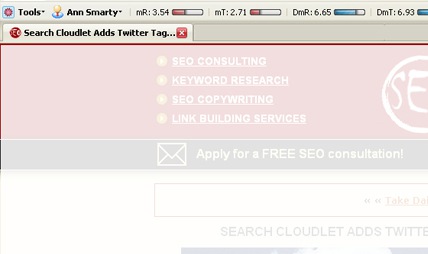
SEOmoz toolbar is only available for SEOmoz registered members but it is really quick and contains essential information. It is mostly based on SEOmoz internal tools and metrics.
SEOquake Toolbar
 SEOquake is the first toolbar I started with. It can slow FireFox down but I like it because it is turned off with the click and can be configured in multiply ways.
