Youtube is the huge collection of both professional and amateur videos updated each minute. With online video growing popularity it is getting more important to keep track of new videos to:
- track your reputation: learn when someone mentions your brand name in the video or reviews your product;
- stay up-to-date with your industry news;
- monitor your competitor’s online video marketing tactics;
- keep track of your favorite publisher for new videos uploaded by him, etc.
Here are 3 free service that let you track online video:
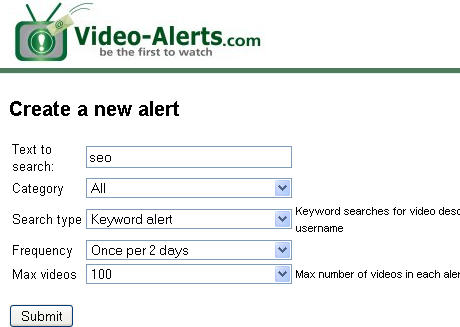
1. Video alerts – the newest site allowing to monitor YouTube videos. You can track a keyword mentions or videos by username:
- Track up to 10 keywords at one session;
- Max number of videos in each alert is 100;
- Set the alert frequency: once a day, once per two days or once per week;
- Track all categories or set the preferred one.
2. Yotify (already reviewed on SEJ) includes Youtube as one of the default sources for tracking. Login to your account (or register), click Youtube icon on the dashboard and customize the alert settings:
- choose a channel (Most Recent, Featured, Top Favorites, Most Viewed, Top Rated videos);
- choose a category (available only for most recent videos);
- add keywords and / or username;
- set the report options (email frequency and report lifetime).
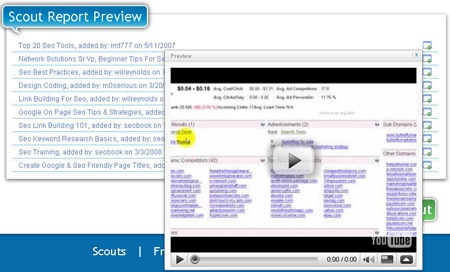
Then instantly preview the report and watch videos without even leaving the tracker site:
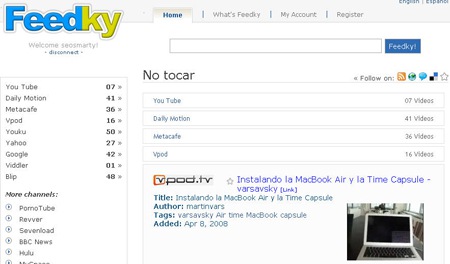
3. Feedky is another video tracking alternative. Despite some evident usability issues, the site has advanced functionality allowing to track multiple video platforms including Youtube, Daily Motion, MetaCafe, Vpod, Google, Viddler and others.
You can track videos by RSS or even embed the keyword-based string of videos to your web page.