


It is funny I am so used to Google search that I no more bother to look for any site search field. I just go ahead and type site: in Google toolbar and enjoy all search features Google offers including advanced operators and date range.
That’s why I was so happy to come across this handy Greasemonkey script called Google site search. With it I even don’t have to copy-paste the site domain I want to search as this script makes it easy to search any site you are currently browsing using Google:
1. Install the script (which runs on Greasemonkey);
2. Go to any site;
3. Use the keyboard shortcut CTRL+ 9 ( Mac) and Shift+ALT+9 (Windows) to see the search form;
4. See the search form appear in the upper part of the screen;
5. Choose the site directory you want to restrict the search to:
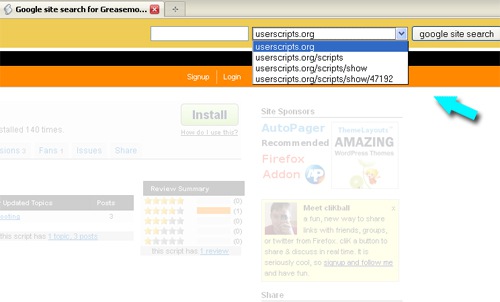
Note: the results will open in the same window / tab.
More ways to add more Google search to FireFox:
- Turn your address bar into Google search bar (#4 tip on the list of FireFox About:Config tweaks);
- Add customized Google search plugins (don’t forget you can add any advanced search operators here);
- Add Google search to FireFox quick searches.

