

Extracting the search results into a spreadsheet is a seemingly straightforward thing.
However, because of limitations on automated queries placed by Google and other search engines, it can become prohibitive to scrape the SERPs.
Compounding this issue is the fact that there aren’t many tools that can do this in an easy manner that results in a spreadsheet with the sought-after data.
The following is an overview of how to export Google search results to a spreadsheet, including relevant keyword data as well.
Extract SERPs To Spreadsheet With A Chrome Extension
First on the list is (arguably) the best Chrome extension for extracting the search results straight into a spreadsheet.
There are many other extensions that scrape the SERPs, but they don’t actually extract the data into a spreadsheet.
For example, Surfer SEO has an amazing Chrome extension that can extract a significant quantity of useful information about the sites that rank in the top 10, as well as provide keyword data that can help in crafting an article.
But, it doesn’t actually export the SERPs into a spreadsheet.
There is one that does this really well, and it’s from SEOquake.
SEOquake Chrome Extension
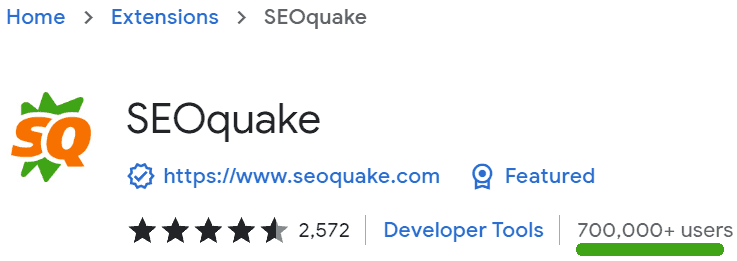
SEOquake offers a free SEO Chrome extension that provides multiple SEO data points layered right over the search results, including numbers that correspond to the search position of each website listed in the SERPs.
The SEOquake privacy policy states that it will not collect or use your data.
The extension will count each People Also Ask question as a search result, so a SERP with 10 results plus four People Also Ask will thus be listed as having 14 search results.
In order to export just a plain list of the search results, it’s necessary to first remove all of the parameters from the report.
Otherwise, the report will contain a lot more information than what may be needed.
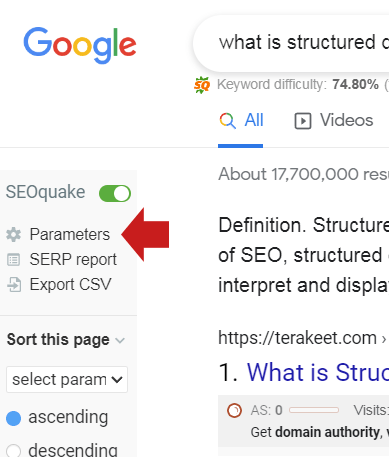
Step 1: The Parameters Button
The first step is to click the Parameters menu button:
Step 2: Deselect Parameters
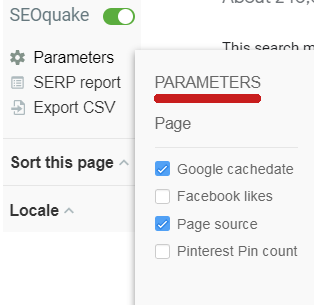
What happens next is that a flyout menu pops out over the search results.
The flyout menu contains a multitude of parameters.
Un-tick all of the parameters.
Step 3: Export To CSV
Now, you’re ready to download the search results straight into a spreadsheet.
On the left-hand menu, there’s an item labeled, Export to CSV. Just click it and the spreadsheet will start downloading.
SEOquake is a handy way to download the top 10 of the search results straight into a spreadsheet.
Export Search Features To A Spreadsheet
Another useful tool is the SERP Keyword Scraper by searchanalyzer Chrome extension.
SERP Keyword Scraper by searchanalyzer

This tool is focused on extracting the keyword phrases that are in Google’s search features.
SERP Keyword Scraper produces useful information about the keywords that are related to your keyword phrase, as displayed in Google’s search features.
The Chrome extension exports the following search features:
- Search suggestions.
- Related searches.
- Search refinements.
- FAQ rich results.
- Image entities.
The Chrome extension extracts keyword data from:
- Google Search.
- Google Shopping.
- Google Image Search.
- Bing Search.
Using the tool is super easy.
Just install the plugin and pin it to the browser so that it’s easily accessible.
The next step is to conduct a search on Google (or Bing) and click the SERP Keyword Scraper icon, and the keywords are instantly copied to a clipboard.
Lastly, open up a spreadsheet program and paste. It’s as easy as that. Voila, right?
The spreadsheet that the extension produces is clean and orderly so that it’s easy to determine what all the features are.
The tool first lists all the keyword phrases extracted from the visible portion of the search features (like People Also Ask, etc).
There’s a little trick to using this extension to be aware of.
Before clicking the Chrome extension icon to generate the report, be sure to click in the search box to generate the Google Suggest keywords.
For example, for the keyword phrase, What is Structured Data:
- The first set of keywords in the spreadsheet is scraped from Google Suggest.
- The second set of keywords in the spreadsheet is scraped from the People Also Ask search feature.
- The third set of keyword phrases is scraped from the Related Searches search feature.
- The fourth group of keywords was extracted from the FAQ Rich Results.
- The fifth group of keyword phrases was extracted from the People Also Search For search feature.
That’s pretty useful data, and it’s easy to extract.
Just click the icon button, and the data is saved in the copy clipboard. All you have to do next is paste it into a spreadsheet.
Something that I especially appreciate about the SERP Keyword Scraper Chrome extension is that it respects your privacy.
The tool does not collect any of your surfing data nor does it sell it.
According to the Privacy Practices:
“How does SERP Keyword scraper work?
Everything happens on your machine! We access the source code of the search result and extract the data for you. The plugin isn’t using any third party data.
The publisher has disclosed that it will not collect or use your data
This publisher declares that your data is:
Not being sold to third parties, outside of the approved use cases.
Not being used or transferred for purposes that are unrelated to the item’s core functionality.
Not being used or transferred to determine creditworthiness or for lending purposes.”
Scrape Google’s SERPs With Screaming Frog
It’s possible to use Screaming Frog to scrape the search results and search features.
In fact, there are many other scraping tools that can do this, too. But, it’s possible that Google might ban your IP address.
If that happens, then you will be blocked from using Google.
It should also be noted that Google strictly prohibits automated search queries.
Google’s terms of service have a section that is unambiguously titled “No Automated Querying.”
Google’s prohibition statement says:
“You may not send automated queries of any sort to Google’s system without express permission in advance from Google.
Note that “sending automated queries” includes, among other things:
using any software which sends queries to Google to determine how a website or webpage “ranks” on Google for various queries;”
Scraping Google with automated queries can result in having your IP address banned.
SerpsBot
SerpsBot is an API that allows you to extract Google’s search results, including all search features like People Also Ask and featured snippets.
The search results are exported into a JSON file, which can then be converted into a spreadsheet if that’s what you want.
This is an API, so one would have to be capable of programming languages.
Many Ways To Extract SERPs
If you search online, you’ll find websites, workarounds, and tools for exporting Google’s search results.
I have found that some of the online tools may display the first page of Google’s SERPs and provide a way to export them to a spreadsheet.
One such site is SERPs to Excel. It does a decent job of extracting the 10 search results.
However, the site doesn’t count search results in the featured snippets nor does it count video results. It provides results based on the old 10 blue links paradigm.
For example, a search for [what is google palm?] results in seven search results minus the featured snippets and videos and includes one search result from page two of the SERPs.
Results for anything more than the second page of the SERPs costs $2 for 100+ search results.
One good thing about this website is that it’s not following you around on your browser as a Chrome extension.
But, if you prefer the convenience of downloading the data directly from the search results, then a Chrome extension is more suitable for that kind of workflow.
Keyword Tool Workarounds
There are many tools that offer rank tracking and keyword research. But surprisingly, there aren’t many free tools that provide this functionality without having to do a little workaround to get what you need.
Semrush Keyword Overview Tool
For example, the free version of Semrush offers the Keyword Overview tool which can give you the SERPs in a convenient manner.
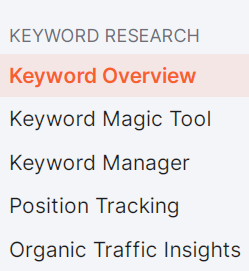
Step 1: Select Keyword Overview Tool
On the left-side navigation menu, select the Keyword Overview link that’s located in the Keyword Research section.
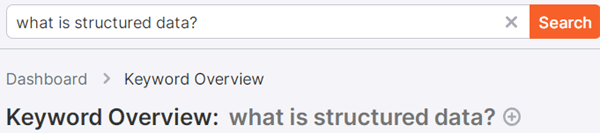
Step 2: Search For Keywords
Next, look to the top right-hand side of the page, where there’s a search box.
Enter the keyword phrase and click the Search button.
Step 3: SERP Analysis
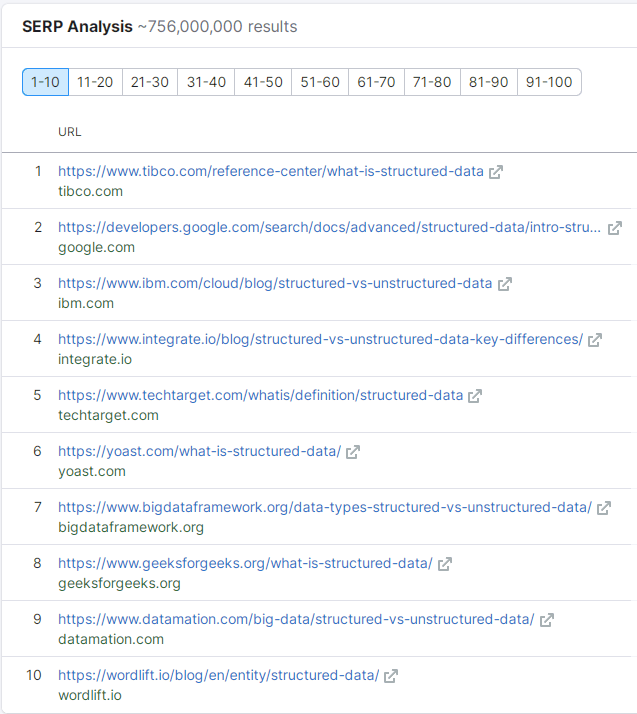
Once the tool has extracted the search results, scroll down to the section labeled SERP Analysis.
Here, it is possible to copy the list of URLs that are ranked in the top 10 for the chosen keyword phrase.
Step 4: Paste Into A Spreadsheet
Lastly, copy the list of search result URLs and paste it into a spreadsheet.
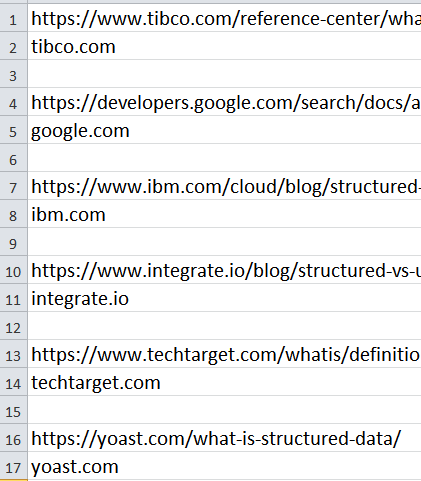
As you can see, it’s possible to create a spreadsheet of the top 10 for various search results using free keyword research tools, but it’s an imperfect solution.
Extracting Search Results To A Spreadsheet
At first, it may seem that extracting the search results into a spreadsheet is an easy thing, but it is not.
There are multiple solutions available, but they each come with their own pros and cons.
Ultimately, it is up to you to discover which tool works best for your workflow.
More Resources:
- Mastering SEO Within Google’s SERPs [Podcast]
- How To Dominate SERPs By Focusing On Topics Instead Of Keywords
- SEO For Beginners: An Introduction To SEO Basics
Featured Image: Gorodenkoff/Shutterstock
