
I am sure if you are reading this blog, you should love searching. So today I am offering a new (somewhat geeky) way for you to search: using a command line. Basically it works like this:
(1) Provide a search term;
(2) Provide a shortcut that will tell the tool which search engine to use to search for the provided term.
| The search tool | Accessible via: |
| Serchilo | Web tool, FireFox search plugin |
| Katapulco | Web tool |
| Ubiquity | FireFox addon |
Serchilo
Serchilo is a highly customizable search tool that can be used to quickly use any search engine or site.
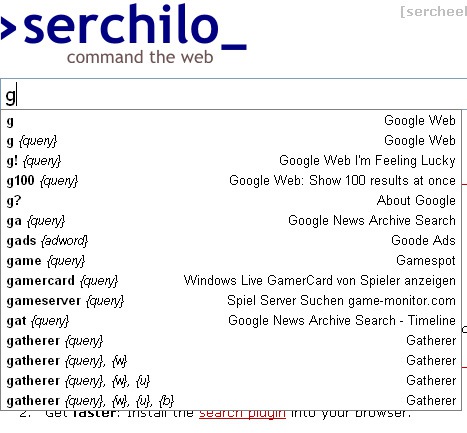
[g seo]

You can see which commands are available while you type the query:
More things to take note of:
- Install the search plugin into your browser.
- Browse existing commands by category;
- Add great commands, edit not so great ones;
- Register at the site for more handy features (define a default keyword which Serchilo will use if you forgot it, define personalized commands, etc).
Katapulco
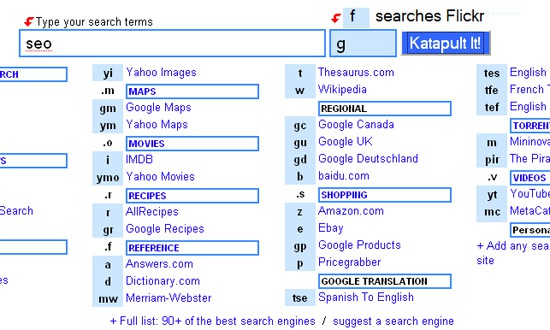
Katapulco is an awesome search tool that gives access to over 90 search engines from a single search command line. It works similarly to Serchilo but it requires to input the search engine shortcut in a separate field.
For example, this command will redirect to Google search for [SEO]:
More things to take note of:
- Customize the tool by adding any search engine or site;
- Suggest your own search engine or site for inclusion.
Ubiquity
The only reason why I am mentioning Ubiquity as the last one is that I already reviewed the tool on SEJ, so most of our readers must be already aware of the tool. Still, I couldn’t help mentioning it again because of its great features.
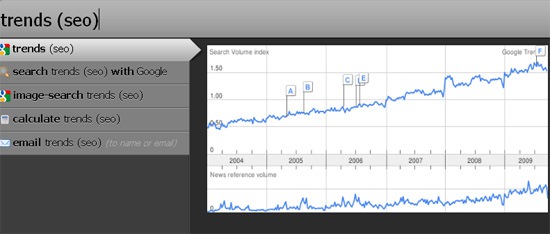
Ubiquity is a FireFox addon that enables you to quicker access and complete multiple tasks you do daily (including search of course). Besides being highly customizable and really feature rich, it also has quite a few great plugins that allow to search and preview multiple results on multiple useful search engines including Google Trends, Digg, Urban Dictionary, Compete traffic stats, etc: